A universal remote can save you time and hassle when managing multiple devices. If you own a Panasonic TV or DVD player, this guide will help you set up your remote control effortlessly and enjoy a seamless viewing experience. You’ll find full lists of Panasonic universal remote codes and easy setup steps right below!
In This Article:
Panasonic TV Remote Codes
Panasonic TV remote codes depend on the brand of the universal remote you’re using. Common codes for popular remotes include RCA (1277, 1275), GE (0170, 0950), and Philips (0039, 0696). You can find the correct code in the remote’s manual or use the auto-program feature to find it automatically.
Here’s a full code list for universal remotes from different brands:
| Universal remote control brands | Remote codes |
| Panasonic | 1231, 1123, 1152, 1010, 1096, 1049, 1053, 1289, 1295, 1003, 1292 |
| Spectrum | 11480, 0051, 10650, 0250, 11457, 10250, 11291, 11271, 11410, 11941, 10051, 11946, 080, 524, 164, 664, 552, 208, 607, 359, 056, 034 |
| RCA | 1130, 1419, 1277, 1054, 1389, 1253, 1003, 1406, 1109, 1289, 1392, 1246, 1275, 1418, 1170, 1055, 1350, 1286, 1062 |
| Philips | 0901, 0007, 0618, 0345, 0739, 0039, 0696, 0807, 0416, 0718, 0608 |
| GE | 0437, 0062, 0148, 0171, 0374, 0170, 0950, 0054, 0070, 0381, 0003 |
| Magnavox | 0052, 0029, 00064 |
| Brightstar | 302, 056, 202, 004, 610, 301, 802, 303, 055 |
| One For All | 11212, 22435, 43612, 22461, 21615 |
If you’re looking for a universal remote code for other Panasonic devices, check out this table:
| Device | Universal Remote Code |
| Panasonic DVD | 2151, 2106, 2076, 2105, 2111, 2154, 2031, 2153, 2104, 2075, 2066 |
| Panasonic HDTV | 1140, 1442, 1234, 1169, 1331, 1410, 1170, 1194, 1417, 1233, 1336 |
| Panasonic audio | 4030, 4005, 4063, 4038, 4018, 4050, 4051 |
How To Program A Universal Remote To A Panasonic TV With Codes?
If you already have the right code for your Panasonic TV, setting up your universal remote is simple. Follow these easy steps to get it working:
- Power on your TV. Make sure the remote control has working batteries before you begin.
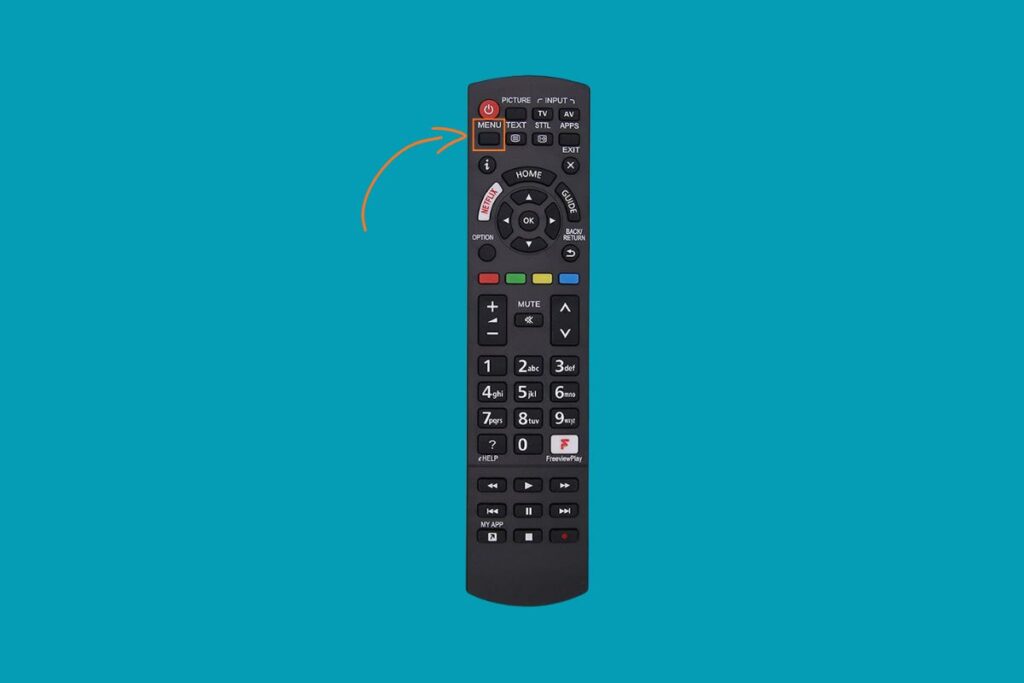
- Press and hold the Menu button on your universal remote. Keep holding it until the indicator light starts to blink or stays on. This means your remote is now in pairing mode.
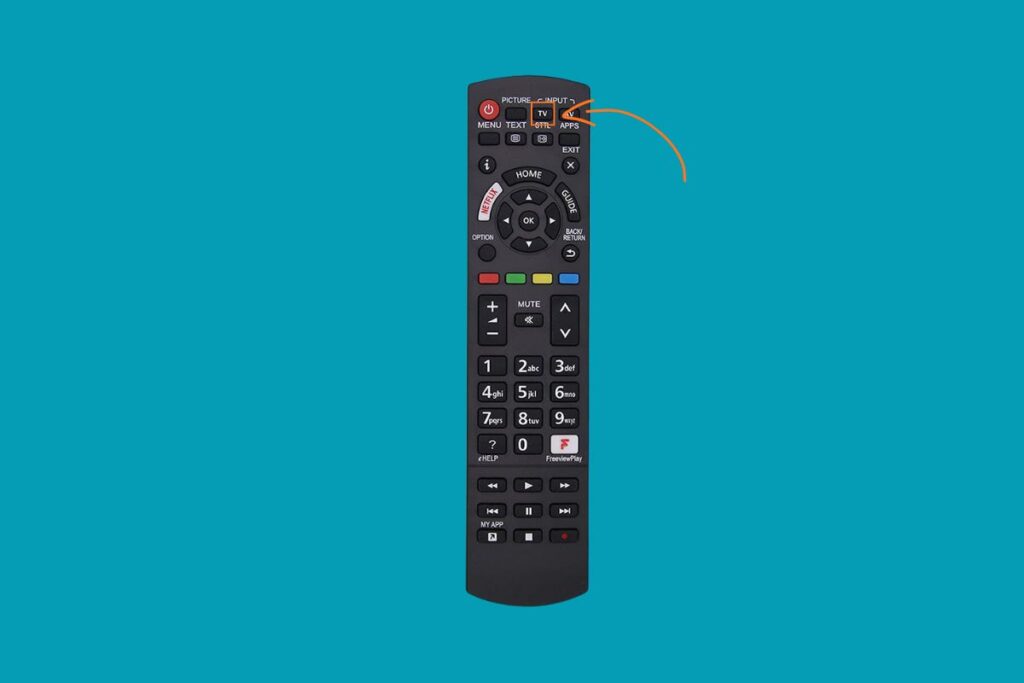
- Press the TV button on the remote to tell it which device you want to control.
- Type one of the Panasonic TV remote codes using the number pad. Try a 4-digit code for a Panasonic TV first; it’s the most common one. The light on your remote may blink after each number; this is normal.

- Point the remote at your TV and press the Power button. If your TV turns off, the code works. If not, repeat the steps with a different code from the list until you find the correct one.

How To Program A Universal Remote To A Panasonic TV Without Codes?
If you don’t have the Panasonic TV code, don’t worry. You can use the auto-program function, which lets the remote find the correct remote control code on its own.
- Turn on your TV. Keep the remote control pointed at the TV throughout the process.
- Press and hold the automatic Code Search button on your universal remote until the indicator light turns on. Release the button once the light stays lit. This will activate the code search mode.
- Press the TV button on the remote. The light should blink once and stay on, confirming that you’re programming for a TV.
- Press the Power button once. The remote will begin cycling through codes to find the right one for your Panasonic TV.
- When the TV turns off, quickly hit the Enter button to save the code. Do it within 3 seconds. If you miss the timing, the remote will continue searching, and you’ll need to repeat the automatic code search.
FAQs
Can a universal remote work for any Panasonic TV model?
Yes. Most universal remotes can control Panasonic TVs, regardless of the model. You just need to program the correct code or use the auto-program method.
Why isn’t my Panasonic TV responding after entering the code?
It may be the wrong one. Try another code listed above. Also, make sure the remote has fresh batteries and is aimed directly at the TV.
How do I know when the remote is in setup mode?
When you press and hold the Setup or Code Search button, the LED on the remote will blink or stay solid. That means it’s ready to receive a code.
Can I control other devices with the same remote?
Absolutely. Once programmed, a universal remote can work with different devices like DVD players, audio systems, and even projectors, as long as you have the right codes.
What if I lose my Panasonic TV remote completely?
A universal remote is a great replacement. Follow either the manual or auto-programming method, and you can regain full control of your TV.
See More Universal Remote Code List For TV Types: