In This Article:
First, Check If You’re Using An MC345 Or An MC348 Remote
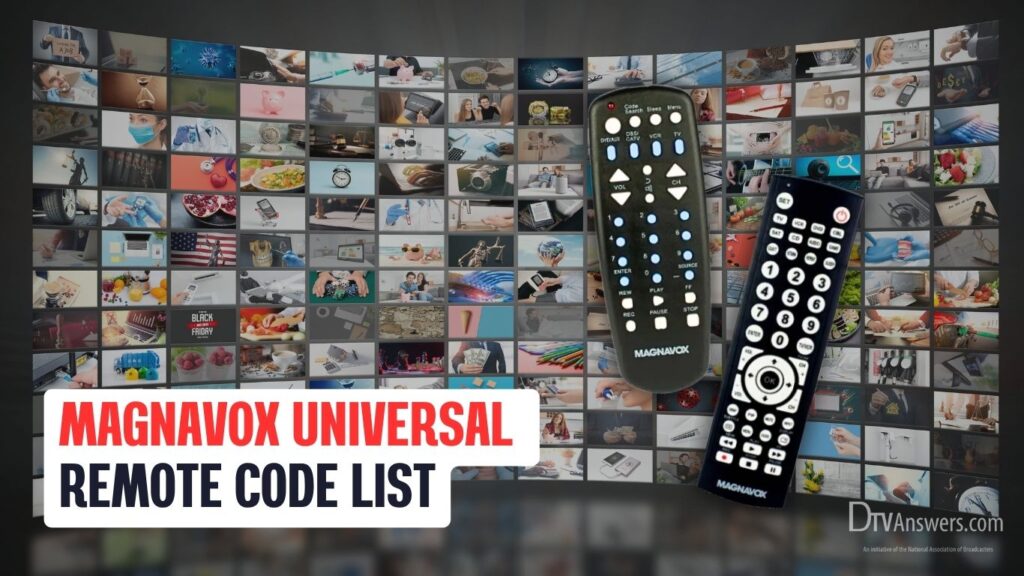
It’s important to tell if your remote control is an MC345 or an MC348 to use the right code for your device.
Simply put, the MC345 remote can control 4 electronic devices at once, while the MC348 can sync with 8 devices simultaneously. You can easily see that the latter is bigger and has more buttons on it.
Magnavox TV Remote Codes
After determining that your remote control is an MC345 or an MC348, check the list of codes below.
For MC345 Remote
| Major Remote Brands | Magnavox Universal Remote Control Codes |
| Pioneer | 0109 |
| Olevia | 0050, 0055, 0113 |
| Coby | 0135, 0011, 0014, 0009, 0067, 0134 |
| Broksonic | 0090, 0130 |
| Craig | 0013, 0012 |
| Zenith | 0039, 0041, 0058, 0043, 0103, 0038, 0100, 0124, 0130 |
| Sansui | 0071, 0040, 0130, 0090, 0089 |
| Haier | 0078, 0010, 0079 |
| Citizen | 0090, 0132 |
| Panasonic | 0106, 0007, 0053, 0126, 0109, 0105 |
| Philips | 0086, 0123, 0077, 0115, 0018, 0019, 0110 |
| Sceptre | 0025, 0045, 0049, 0064, 0057 |
| Mitsubishi | 0128, 0129, 0038, 0131 |
| JVC | 0051, 0130, 0035, 0007, 0082, 0065 |
| Dell | 0119 |
| Viewsonic | 0046, 0096, 0062, 0054, 0058, 0008, 0066, 0076, 0093, 0116 |
| Durabrand | 0038, 0040, 0130 |
| Samsung | 0033, 0038, 0031, 0047, 0095, 0034, 0132, 0102, 0032 |
| GoldStar | 0038 |
| Hitachi | 0111, 0039 |
| RCA | 0003, 0121, 0129, 0100, 0005, 0028, 0041, 0083, 0022, 0122, 0126 |
| GE | 0127, 0038, 0100, 0126, 0122, 0121 |
| Sharp | 0129, 0107 |
| LG | 0027, 0026, 0017, 0038, 0124, 0021, 0122, 0103 |
| Emerson | 0038, 0059, 0070, 0041, 0091, 0114, 0127, 0040, 0130 |
| Insignia | 0091, 0069, 0074, 0120, 0130, 0094, 0040, 0103, 0089 |
| Funai | 0091, 0040, 0043 |
| Orion | 0042, 0130 |
| Toshiba | 0132, 0108, 0092, 0090, 0125, 0053 |
| Vizio | 0046, 0104 |
| MAG | 0073, 0061 |
| AOC | 0096, 0058, 0093, 0024, 0063 |
| Magnavox | 0091, 0040, 0058, 0086, 0044, 0123, 0116, 0126, 0018, 0110, 0115 |
| Polaroid | 0073, 0052, 0080, 0099, 0081, 0118, 0037, 0061 |
| Akai | 0117, 0034, 0102, 0090 |
| Sylvania | 0123, 0040, 0088, 0091, 0059, 0070, 0114 |
| Westinghouse | 0046, 0112, 0127, 0049 |
| Proscan | 0006, 0100, 0122 |
| Audiovox | 0099, 0087, 0127, 008 |
For MC348 Remote
| Popular Remote Brands | Magnavox Remote Codes For TV |
| Orion | 0713, 0105, 0115 |
| Philips | 0222, 0002, 0402, 0109, 0322, 0919, 0521, 0715, 0022, 0422, 0520, 1017, 0807, 0310, 0210, 0901, 0122, 0430, 0247, 1516, 0621, 0408 |
| Sony | 0414, 0902, 0801, 0708, 0639, 0816 |
| JVC | 0308, 0617, 0715, 0204, 0802, 0607, 0321, 0108, 0326, 0993, 0508 |
| Haier | 0323, 0709, 1316, 0223, 0317 |
| GE | 0007, 0103, 0835, 0704, 0006, 0114, 0312, 0018, 0002, 0502, 0901 |
| Sharp | 0228, 0111, 0913, 0509, 0224, 0813, 0907, 0002, 0502, 0202, 0603 |
| LG | 0307, 0117, 0802, 0002, 0609, 0324, 0217, 0606, 0502, 0102, 0814, 0435 |
| Sanyo | 0428, 0619, 0311, 0002, 0412, 0506, 0612, 0802 |
| RCA | 0912, 0704, 0817, 0007, 0102, 0320, 0002, 0803, 0406, 0502, 0601, 0917, 0835, 0114, 0011, 0611, 0811, 0312, 0514, 0720, 0901, 0103, 0211, 0519, 0420 |
| Panasonic | 0718, 0416, 0007, 0618, 0807, 0039, 0739, 0345, 0696, 0901, 0608 |
| Magnavox | 0408, 0715, 0247, 0919, 0502, 0807, 0002, 0402, 0109, 1914, 0224, 0430 |
| Samsung | 0103, 0818, 0002, 0512, 0309, 0112, 0212, 0437, 0102, 0895, 0012, 0302, 0502, 0802, 0110, 0609, 0209 |
| Toshiba | 0512, 0041, 0715, 0111, 0618, 0437, 0094, 0517, 0419, 0613, 0112, 0719, 0506, 0802, 0627, 0313, 0111 |
| Vizio | 0867, 0709, 1702, 0855, 0877, 0889 |
| Insignia | 0213, 0504, 0318, 0911, 0247, 0520, 0323, 0115, 0914, 1416 |
| Funai | 0247, 0906, 0706, 0805, 0520, 0324 |
| Durabrand | 0323, 0115, 0447, 1115, 0520, 0916, 0126, 0317 |
| Polaroid | 0914, 0819, 1503, 0504, 0918, 1215 |
| Sylvania | 0402, 0717, 0002, 0520, 0109, 0247, 0807, 0715, 0115, 0447, 0502, 0919, 1715, 0324, 0408 |
| Westinghouse | 0915, 1216, 0013, 0300 |
6 Easy Steps To Program Magnavox Universal Remote With Codes
The steps differ slightly depending on the model of your Magnavox remote, MC345 or MC348, but the general setup process remains simple and straightforward once you follow the instructions carefully.
Step 1
Before starting, determine which model of Magnavox remote, MC345 or MC348, you own. You can usually find this information printed on the back or inside the battery compartment of the remote.
Step 2
Make sure the TV you want to program (or DVD player, streaming box, etc.) is powered on. It should be fully functional and not in standby mode.
Step 3
Install fresh, properly oriented batteries into your Magnavox remote. Weak or incorrect batteries may interrupt the programming process or prevent the remote from saving your settings.
Step 4
For MC345 remote:
- Press and hold the Code Search button until the red LED indicator turns on and remains steady.
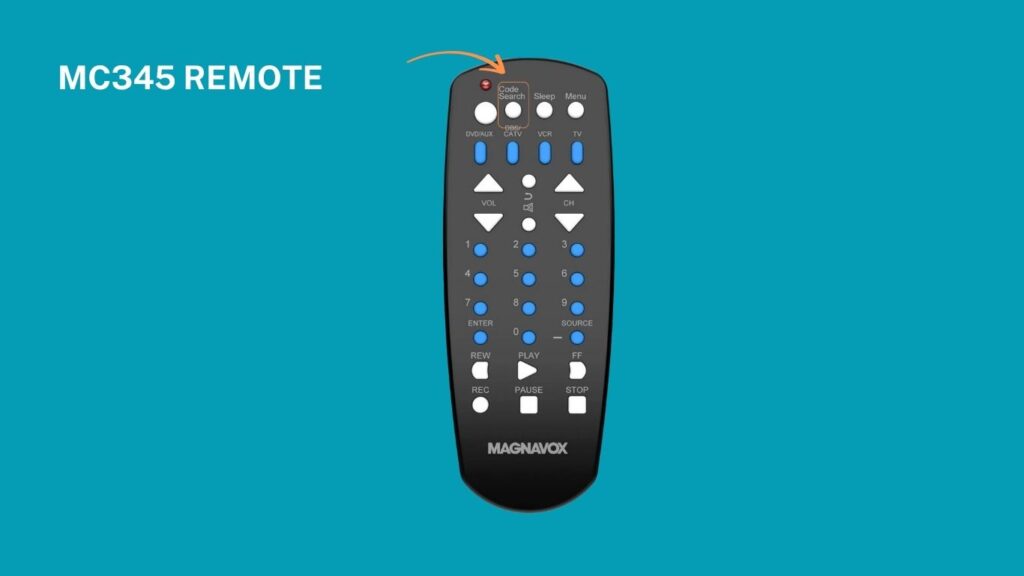
- Release the Code Search button once the light is solid.
- Then press the TV button on the remote.
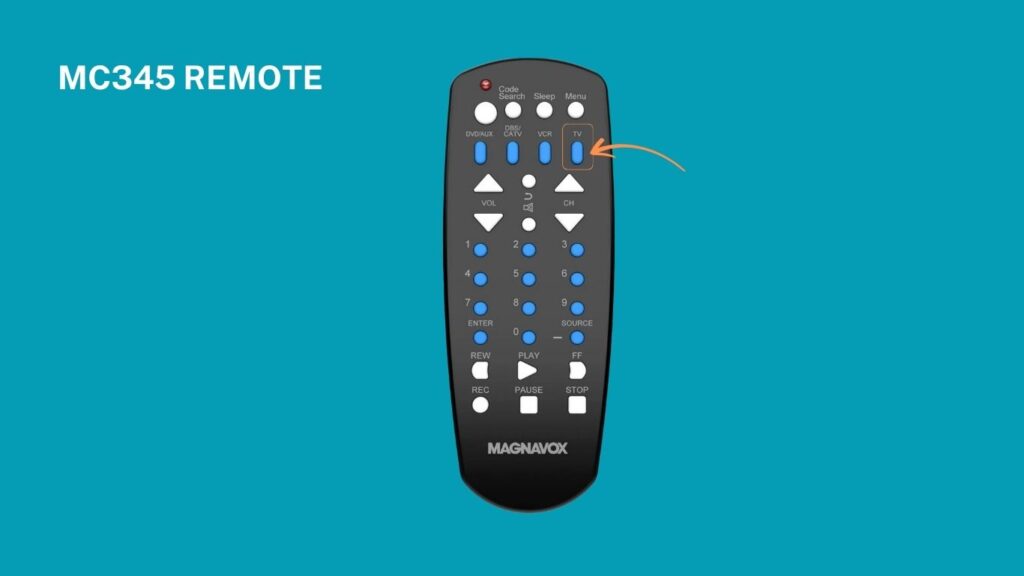
For MC348 remote:
- Press the TV button.

- Then, press and hold the SET button until the red LED lights up steadily, then release it.

Step 5
Using the remote’s numeric keypad, carefully enter the 4-digit or 5-digit code for your device brand. You can find compatible codes in the complete list above.


If the code is valid, the LED indicator light will turn off immediately. If the code is incorrect, the LED will blink five times, prompting you to retry with a different code. Some brands have multiple valid codes. If one code doesn’t work, simply repeat the process with the next available code.
Step 6
Point the remote at your TV and test basic functions:
- Power on/off
- Volume up/down
- Channel changes
- Input selection
If the device responds correctly to all these functions, the programming is successful.
If not, go back to Step 4, try the next code, and repeat the process.
How To Program A Magnavox Universal Remote Without Codes
Auto Code Search Function
This is the simplest way to program your Magnavox remote when you don’t know the specific code for your device. The remote automatically cycles through all stored codes, testing each one until the device responds.
For the MC345 model:
1.Power on your TV or device you wish to program.
2.Hold the Code Search button on the remote until the red LED indicator lights up steadily, then release the button.
3.Press the TV button.
4. While pointing the remote at your device, press and release the Power button repeatedly. Each press sends a different signal.

5. When the device powers off, press the Enter button within 4 seconds to save the code.

5. Test all key functions (e.g., volume, input, channel) to confirm if the remote works.
For the MC348 model:
1. Turn on the TV and ensure batteries are correctly placed in the remote.
2. Press and release the TV button.
3. Press and hold the SET button until the LED indicator lights up, then release it.
4. Aim the remote at the device and press and release the Power button repeatedly. The remote will emit a new power-off signal every 0.5 seconds.

5. Once the device powers off, immediately press OK to save the working code.

6. Test the remote’s basic controls. If it doesn’t work properly, repeat the process.
Manual Code Search
This method is similar to Auto Code Search but gives you more control by manually stepping through potential codes. It can be helpful if your remote responds slowly or if you want to proceed more deliberately.
For the MC345 model:
The process is similar to the Auto Code Search method.
For the MC348 model:
- Power on the device you wish to program.
- Press and release the correct device button on the remote.
- Hold the SET button for about 3 seconds until the LED indicator turns on, then release it.
- Point the remote at the device and press the CH+ or CH– button repeatedly. This will scan through available codes.
- When the device turns off, press the OK button to save the current code and exit setup mode.
- Use the remote to test key functions like power, volume, and input.
My Magnavox Universal Remote Is Not Working After Pairing. What To Do?
If you’ve tried many codes to pair the Magnavox universal control with your TV, but none of them work, it’s likely that you used the incorrect code for that type of remote. Make sure you use the correct code for an MC345 or MC348 remote control.
Another culprit is a weak or dead battery. Check the remote’s battery and replace it if necessary.
See More Universal Remote Code List For TV Types: