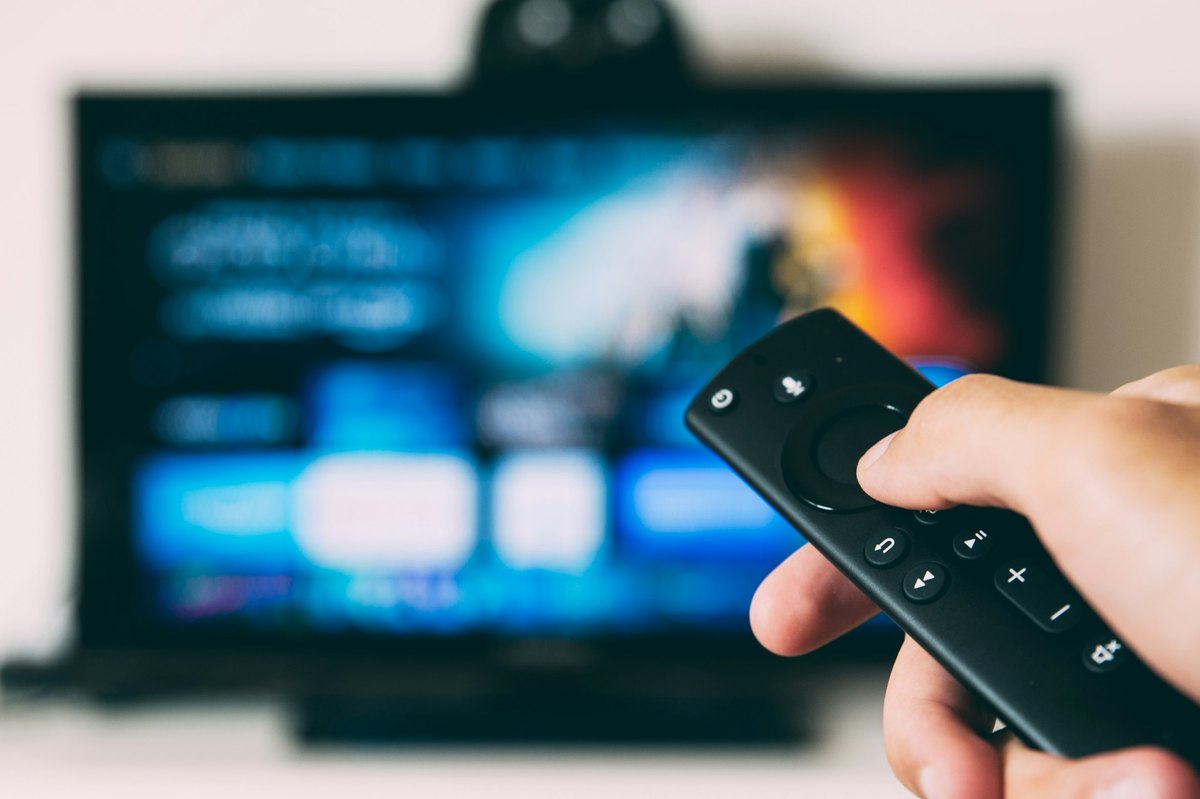
If you’ve picked up an ONN universal remote, you’re already on the right track to simplifying your living room experience. No cluttered coffee tables! No remote controls for every device! We’ve compiled an extensive list of ONN universal remote TV codes and two easy ways to program your remote, even if you don’t know your device’s code.
In This Article:
ONN Universal Remote Code List
The table below offers an overview of codes for an ONN universal remote for different TV remote brands:
| Remote Brand | Remote Control Codes |
| ONN | 3552, 3544, 3545, 2493, 3560, 3571, 3575 |
| GE | 2433, 0198, 0214, 0048, 0087, 0009, 0054 |
| Hisense | 3537, 1173, 0182, 2463, 0073, 2503, 4145 |
| Hitachi | 0088, 0419, 0091, 0137, 0142, 1957, 4127 |
| Insignia Roku | 3531, 1160, 0167, 3002, 2334, 2444, 4131 |
| LG | 3534, 2098, 0155, 2254, 0134, 2492, 4080 |
| Magnavox | 2477, 1174, 2091, 0183, 0235, 2439 |
| NEC | 0004, 0095, 0010, 3105, 1384, 4087, 4025 |
| Panasonic | 3005, 2470, 3024, 0054, 0062, 0171, 4055 |
| Philips | 3535, 1154, 2495, 0205, 0207, 0183, 4077 |
| Polaroid | 2099, 0214, 2466, 2290, 0116, 1169, 4042 |
| Proscan | 2467, 1174, 3027, 2077, 0162, 4107, 4124 |
| RCA | 3027, 2433, 2067, 0077, 0191, 0102, 4135 |
| Roku TV | 2491, 3531, 3532 |
| Samsung | 3528, 2482, 2355, 0012, 0172, 1957, 4108 |
| Sharp | 2464, 0223, 2489, 0004, 0020, 0122, 4147 |
| Sony | 3536, 2483, 2462, 2438, 0071, 0152, 4036 |
| Sylvania | 0189, 0135, 1141, 1172, 3014, 0068, 4113 |
| Toshiba | 0109, 2470, 0159, 2103, 0141, 2432, 2447 |
| Westinghouse | 3098, 2061, 0114, 1814, 3022, 0136, 4106 |
| Zenith | 2492, 0338, 0038, 1949, 0078, 0134, 2453 |
| Vizio | 3533, 2472, 2045, 0143, 0081, 1168, 4144 |
| Yamaha | 0004, 0005, 3024, 0170 |
| Aiwa | 3009, 1949, 2423, 2428 |
| Broksonic | 0135, 2103, 2228, 2436, 0237 |
| Citizen | 0004, 0008, 0042, 0053, 2406, 0252 |
| Coby | 1796, 2356, 2448, 4062, 4057 |
| Curtis | 2067, 2046, 2466, 4083, 4105 |
| Electrohome | 0004, 0009, 0022, 3105, 0003 |
| Envision | 2504, 2095, 2369, 1009 |
| GPX | 2421, 4110, 4109, 4091 |
| Haier | 2502, 0217, 1147, 0081, 0935 |
| Ilo | 2451, 0189, 1024, 2442 |
| JVC | 2446, 160, 67, 2011, 2254, 197, 2459 |
| Maxent | 2116, 1916, 0046 |
| Naxa | 3021, 0077, 4115, 4072 |
| Orion | 0135, 0111, 0038, 0121 |
| Pioneer | 0185, 0009, 1879, 3104, 0090, 0179, 4025 |
| Prima | 0165, 1160, 0176, 2290 |
| Runco | 0111, 1819, 0121, 0181 |
| Sansui | 2466, 2103, 2495, 2496, 4121 |
| Supersonic | 3021, 2421, 4097, 4104 |
| Seiki | 1822, 2478, 2498, 4033, 4141, 4004, 4034 |
| Skyworth | 3011, 3010, 3003 |
| Tatung | 2141, 2044, 3105, 4039, 4017 |
| Viewsonic | 2369, 1179, 2460, 1144, 4101 |
| Viore | 2096, 3021, 0077, 1818, 4082 |
How To Program ONN Universal Remote
With ONN Universal Remote TV Codes
If you already have the code for your TV or other device, this method is quick and effective. You’ll manually enter the code, and the remote will instantly pair if it’s correct.
Step-by-step instructions:
1. Power on your TV (or other electronic devices like soundbar, etc.) using its original power button.
2. Insert fresh batteries into your ONN universal remote to ensure a reliable setup.
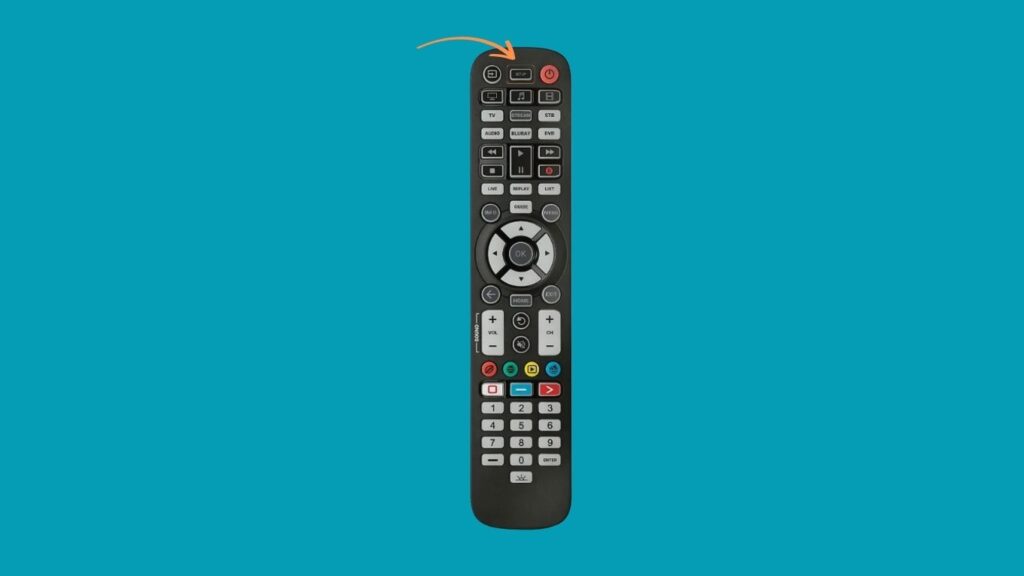
3. Press and hold the “Program” or “Setup” button on the remote until the power button light turns red and stays on.
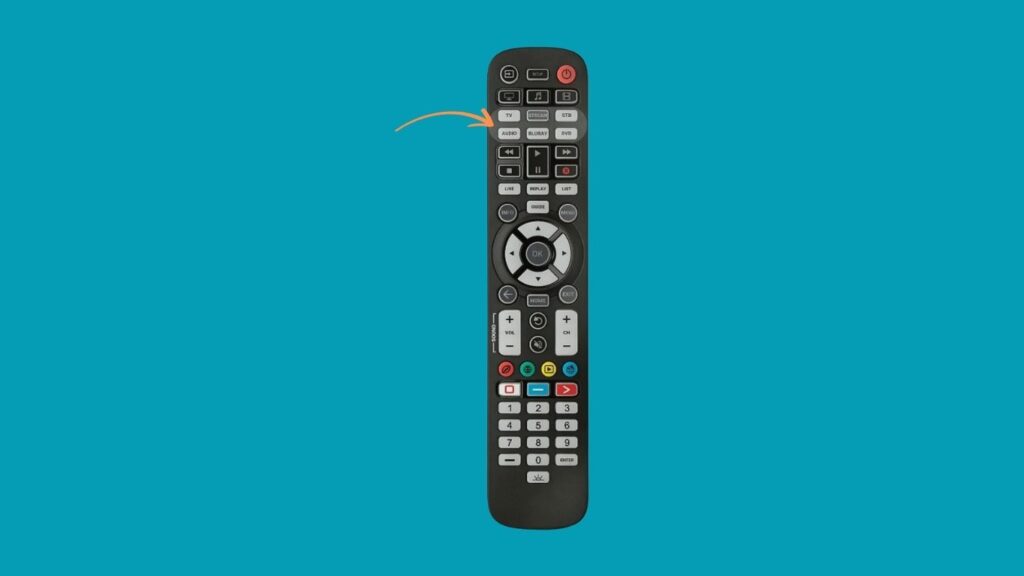
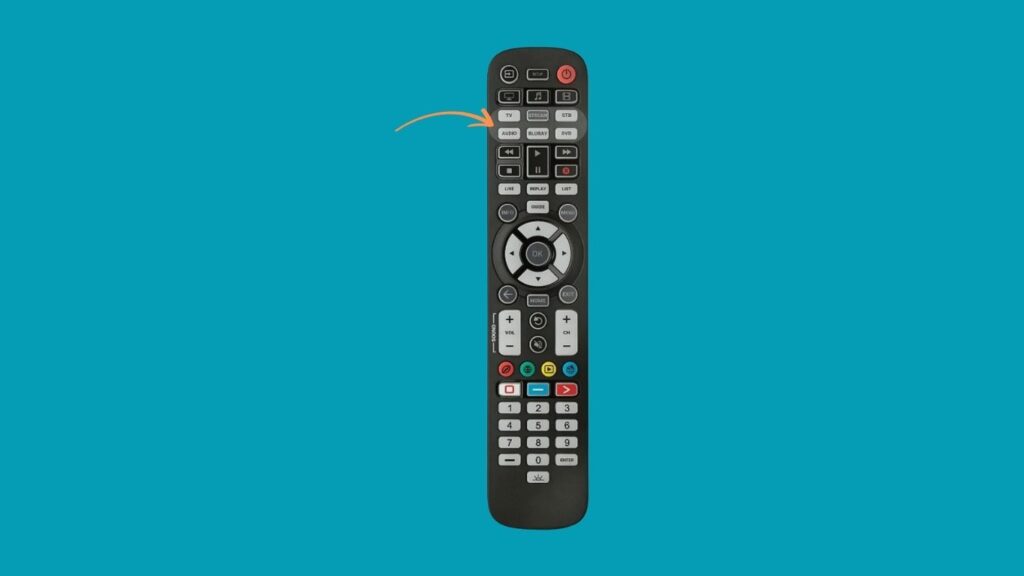
4. Press the device type button (e.g., TV, DVD, or Stream). The red light will blink once and remain solid.
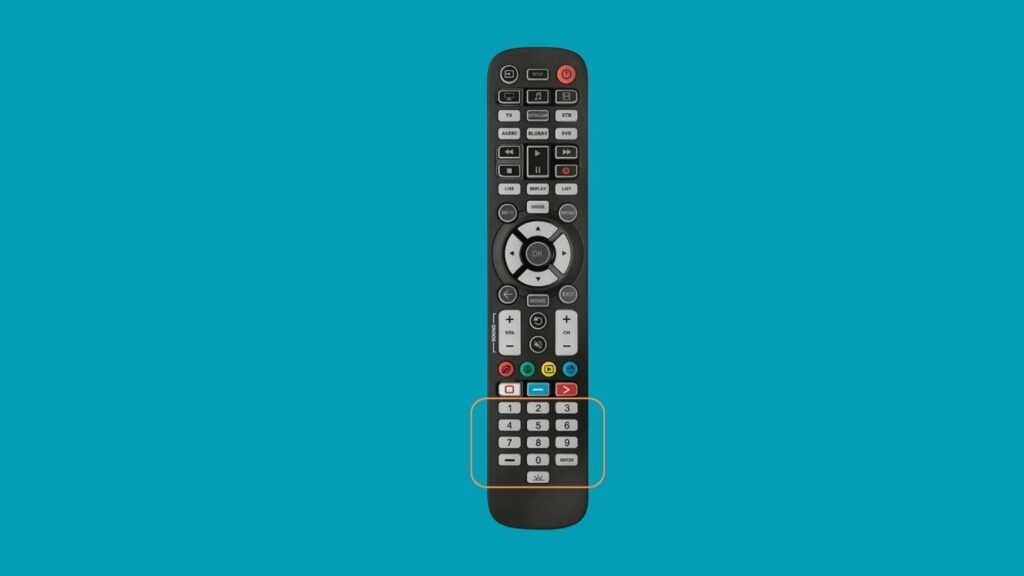
5. Enter a valid code for your brand using the number keys on the remote within 35 seconds. (Use the codes listed in DS1 for your brand.)
6. Check the red light: If it turns off, the code is accepted. If it blinks and stays on, the code is invalid.
7. Test the remote: Point it at your device and press the power button. If the device turns off, the programming is complete.
Without Codes
If you don’t know the code or want the remote to find it for you, this method allows the ONN remote to scan for the correct one automatically.
Step-by-step instructions:
Insert batteries into your ONN remote and power on your device using its own power button.
Press and hold the “Program” or “Setup” button until the power light turns red and stays solid.
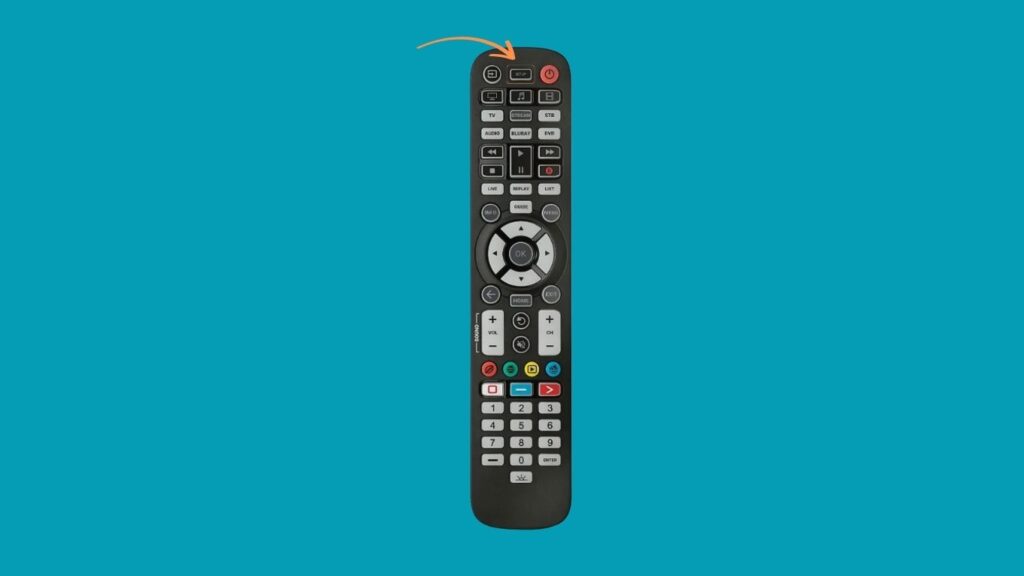
Press the appropriate device button (e.g., TV, Stream). The red light will blink once and remain on.
Point the remote at your device, then press and hold the “OK” button.
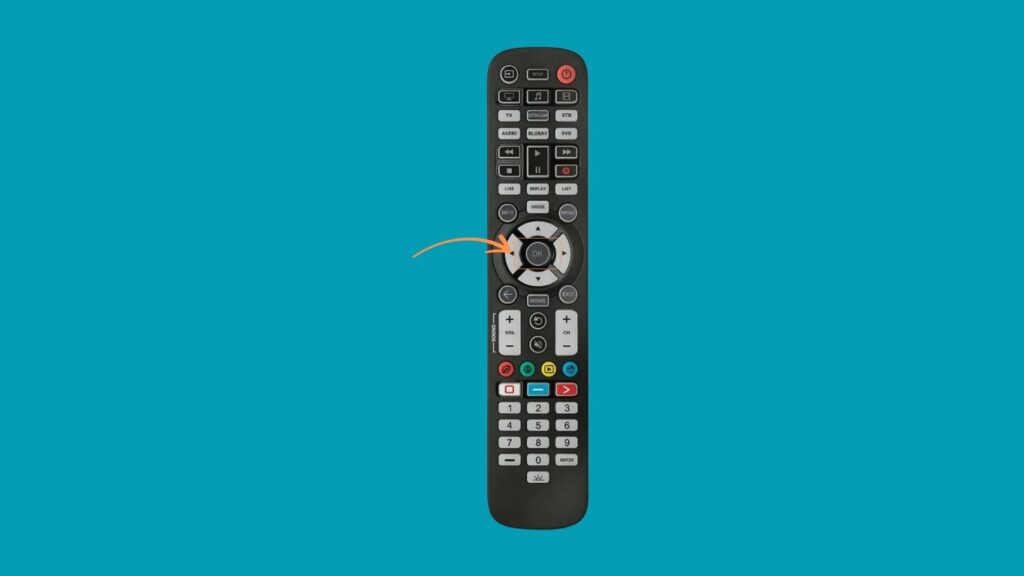
Wait while the remote scans for the correct code. When your device turns off, immediately release the OK button — the code has been found.
Test functionality. Try turning the device back on, adjusting the volume, or changing input. If it works, the setup is complete.
FAQs
Where Can I Locate The ONN Television Remote Code?
You can find ONN TV remote codes in several reliable places:
- ONN’s official website, onnremotes.com, includes an extensive list of codes categorized by brand and device.
- Your ONN Universal Remote’s instruction manual may include a printed list of common codes.
- Check the detailed, searchable code lists organized by TV manufacturers (e.g., Vizio, LG, Samsung) above.
If multiple codes are listed for your brand, try each one in sequence until the remote works correctly with your TV.
Do These Codes Work For Other Devices Like DVD Players Or Streaming Devices?
Yes, absolutely. ONN universal remote codes are not limited to TVs, especially when you use ONN 4-in-1 or 6-in-1 universal remotes. They can also control DVD/Blu-ray players, streaming devices (like Roku or Firestick), audio systems, and more.
However, remember that the compatible code varies by device type and brand, so a Roku TV code will differ from a Vizio TV or a Samsung DVD player.
Will Any Remote Work For My ONN TV?
Not every remote will work with your ONN TV. Only compatible universal remotes (like ONN’s 4-in-1 or 6-in-1 models) come with the correct code library for ONN-branded televisions and devices. Also, standard remotes from other brands may not support ONN devices unless they are explicitly compatible.
Should I Use The ONN 4-In-1 Or 6-In-1 Universal Remote?
Go for the 4-in-1 remote if you only need to control basic devices like TVs, DVDs, and streaming sticks. Choose the 6-in-1 remote if you have a more complex setup (e.g., soundbars, gaming consoles, cable boxes). It allows up to six devices to be controlled from one interface.
See More Universal Remote Code List For TV Types: