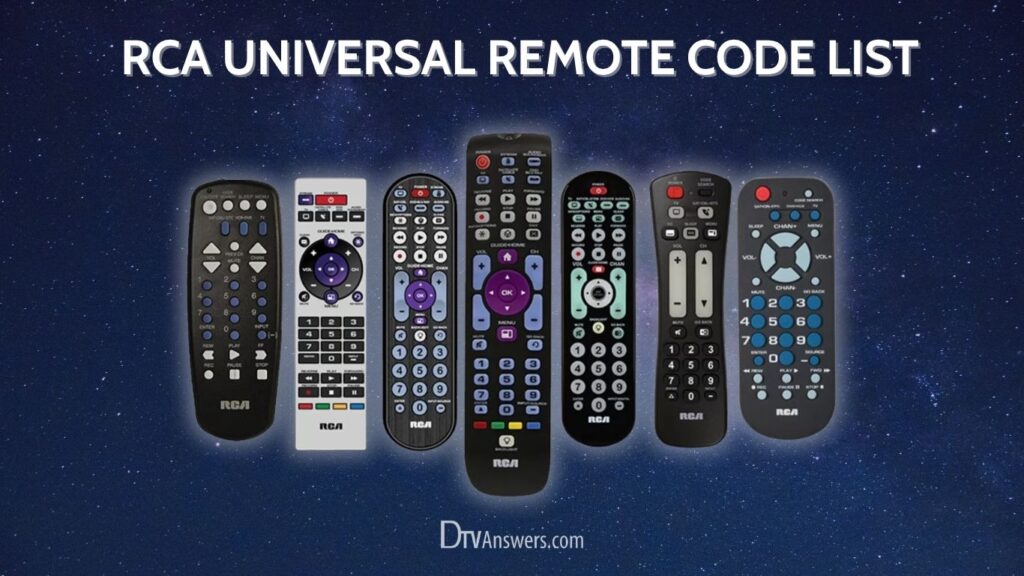
If the original remote control is lost or broken, the RCA universal remote can step in and take control. With the right code, you’ll be up and running in just a few minutes. Here is the most up-to-date list of RCA remote codes for popular brands of TVs and a step-by-step programming guide to make the setup process frustration-free.
In This Article:
RCA Universal Remote TV Codes For Different Brands
Here’s a comprehensive table of TV RCA universal remote codes. Use it as a quick reference to program your remote effortlessly.
| Remote Brand | Universal Remote Control Codes |
| Samsung | 4-digit: 0814, 0178, 0030, 0650, 0702, 0766, 2051, 39935-digit: 11632, 14425, 43311, 12051, 11060, 97817, 16616, 15386, 15371, 10178, 21818, 10702, 11251, 79113, 14545, 36218, 14241, 24366, 11565, 38811, 10702, 14425, 66611, 94818 |
| LG | 4-digit: 0178, 0017, 2731, 1447, 1423, 2358, 3397, 24245-digit: 10856, 11423, 11447, 12358, 12424, 12731, 31311, 11265, 11756, 10017, 25641, 10178, 21442, 52412, 11565, 63913, 11860, 11840, 14397, 14398 |
| Philips | 4-digit: 1365, 0171, 1963, 1394, 1142, 10054, 11394, 112715-digit: 14398, 11866, 12374, 10054, 11756, 11454, 12372, 11867, 14740, 11365 |
| Hisense Roku | 5-digit: 59413, 67614, 35611, 55712, 44211, 72015, 78115, 61514 |
| Hisense | 4-digit: 2098, 2183, 2355, 4029, 4398, 3382, 0748, 1314, 1660, 1237, 35195-digit: 11756, 14487, 11660, 11314, 12183, 13519, 14740, 12419, 12355, 39812, 10748, 12098, 14618, 15156, 15185, 14656, 35611, 44211, 61514, 67614, 13382, 15176, 39011, 31612, 42113 |
| Insignia | 4-digit: 0171, 0463, 1423, 2049, 2184, 1564, 1892, 1660, 1963, 13265-digit: 11385, 11564, 11326, 11517, 12049, 12184, 13227, 12751, 14487, 11756, 11892, 10171, 11660, 10463, 15213, 12219, 11963, 70017, 39512, 41011, 36412, 49412, 61312, 73114, 82615, 74115, 28911, 69212, 28511, 47913, 79016, 89713, 64713, 56111, 22011, 57513 |
| TCL Roku | 5-digit: 44211, 61514 |
| TCL | 4-digit: 3847, 2434, 0898, 3426, 2414, 2429, 3183, 4178, 43985-digit: 14398, 80312, 36711, 11756, 80313, 13183, 12434, 61513, 44411, 15919, 26245, 57513, 37511, 33012, 68014, 95017, 78913, 84416, 57011 |
| Sony | 4-digit: 0810, 1300, 1317, 16855-digit: 11300, 10000, 10810, 12778, 14189, 14448, 14541, 31912, 21115, 22556, 26411, 33211, 41112, 44211, 44613, 44411, 89616 |
| Vizio | 4-digit: 2707, 0864, 1758, 2757, 3758, 0885, 17565-digit: 11758, 14723, 14905, 13758, 12757, 12707, 40412, 10864, 10885, 20111, 11756, 80016, 35011, 12512 |
| Toshiba | 4-digit: 0156, 11156, 12006, 11256, 17435-digit: 67611, 36411, 70017, 78614, 15213, 14885, 48512, 70416, 24919, 10156, 1524, 11524, 11656, 12724 |
| Panasonic | 4-digit: 1291, 1480, 0178, 01565-digit: 11291, 10051, 11480, 11941, 10250, 11457, 11271, 11946 |
| Westinghouse | 4-digit: 0463, 2293, 3559, 3382, 2397, 3094, 34705-digit: 11300, 11282, 10885, 10889, 11712 |
| Magnavox | 4-digit: 0171, 1866, 1365, 1963, 10054, 113945-digit: 10054, 11454, 11866, 11867, 12372, 2372, 10802, 11944, 10171 |
| GE | 4-digit: 0178, 11447, 10047, 10178, 104515-digit: 11347, 1447 |
| Sharp | 4-digit: 1457, 4398, 2360, 37205-digit: 12402, 13019, 35611, 11756, 14507, 15156, 15176, 13394, 13519, 14618, 31713, 50912, 37311, 02118, 12360, 14398, 91517 |
Bonus: A Tip To Locate The Correct Code
To find the correct code for your RCA remote control, follow these steps:
- Remove the battery cover from your RCA remote.
- Locate the revision number inside the battery compartment. This is crucial because different remotes support different codes.
- Go to the official RCA Code Finder website. Enter the revision number, your device type (TV in this case.), and the brand name.
- The tool will list all the supported codes. Try each one until your device responds properly.
How To Program RCA Universal Remote With Codes
If you already know the correct code for your TV or device brand, this method is the fastest and most reliable way to program your RCA universal remote. Codes can usually be found in the manual, on the RCA website, or in the code list above. Just follow these steps:
1. Turn on your TV or device.
2. Insert fresh batteries into the RCA remote control. Weak batteries can interfere with the programming signal, so always use new or fully charged ones.
3. Press and hold the TV and the Power buttons simultaneously. Keep holding it until the power button lights up.
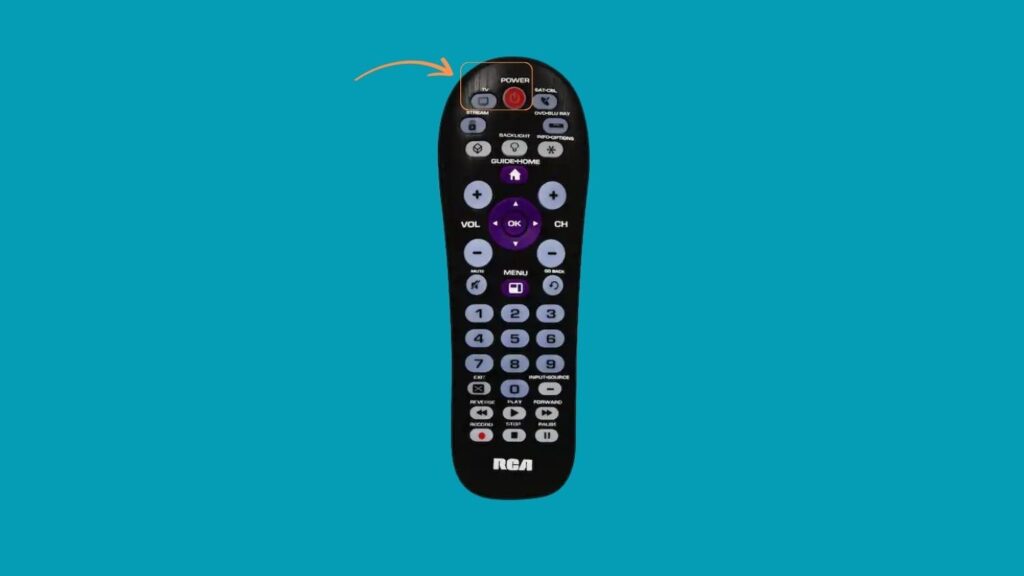
4. While the power light is on, enter the device code. Using the number pad on your RCA remote, input the 3-digit, 4-digit, or 5-digit code that matches your device brand. Codes for popular brands like Samsung, LG, and Sony are available above.
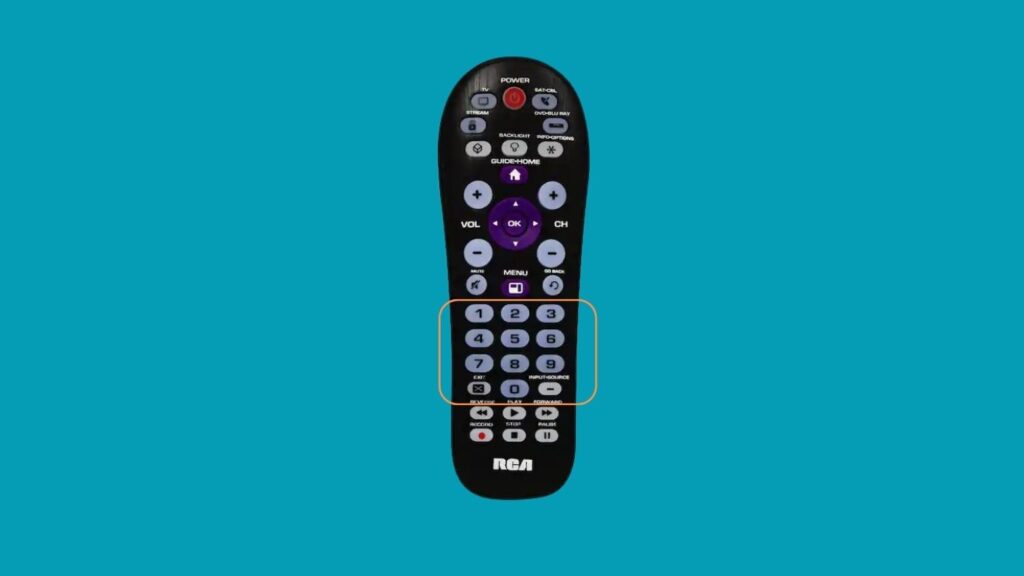
5. Check the power light’s response. If the light stays on, you’ve entered a valid code. If it blinks 4 times, you might use an incorrect code; try another from the list.
6. Release the device button. Once the correct code is entered, let go of the button.
7. Test all functions of the remote. Try turning the device on/off, adjusting the volume, or switching channels. If some buttons don’t work, repeat the process with a different code from the same brand list.
Programing An RCA Universal Remote Without Codes
If you’ve lost the manual or don’t know the device brand, or none of the listed codes seem to work, don’t worry. RCA remotes support an automatic code search function that can program the device without needing any code.
- Power on your TV or device so the remote can recognize the correct signal.
- Point the RCA remote directly at the device. Stay within a few feet for the best signal transmission.
- Press and hold both the TV (or relevant device key) and Power buttons simultaneously.
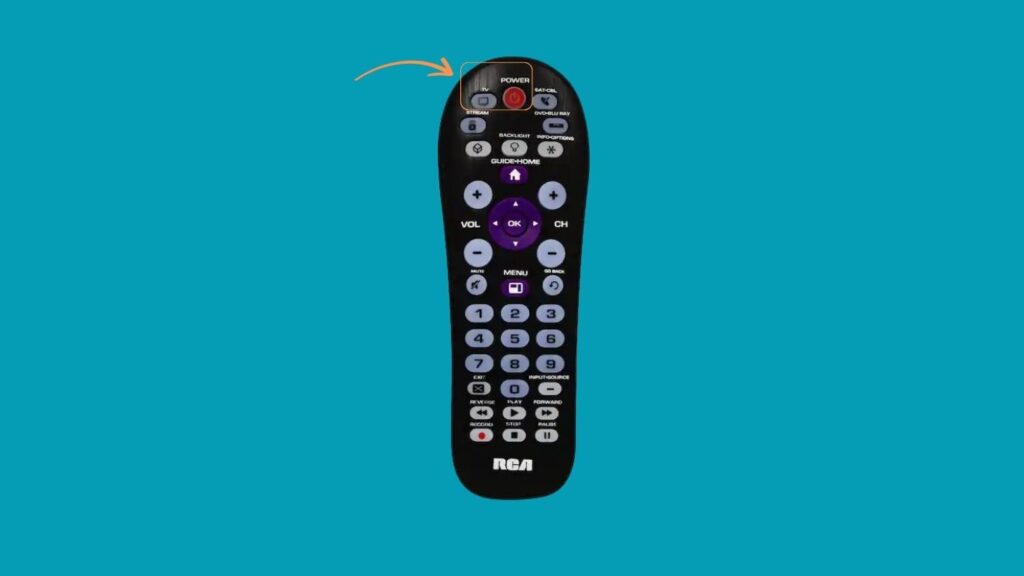
- Continue holding until the indicator light stays on, then release both buttons.
- Press the Play button on the remote control once every 5 seconds. The remote sends out batches of codes each time. Continue this step until the device powers off.

- Once the device turns off, press the Reverse button every 2 seconds. This cycles back one code at a time until the device turns back on.

- When the device powers on again, press the Stop button. This stores the correct code in the remote’s memory.
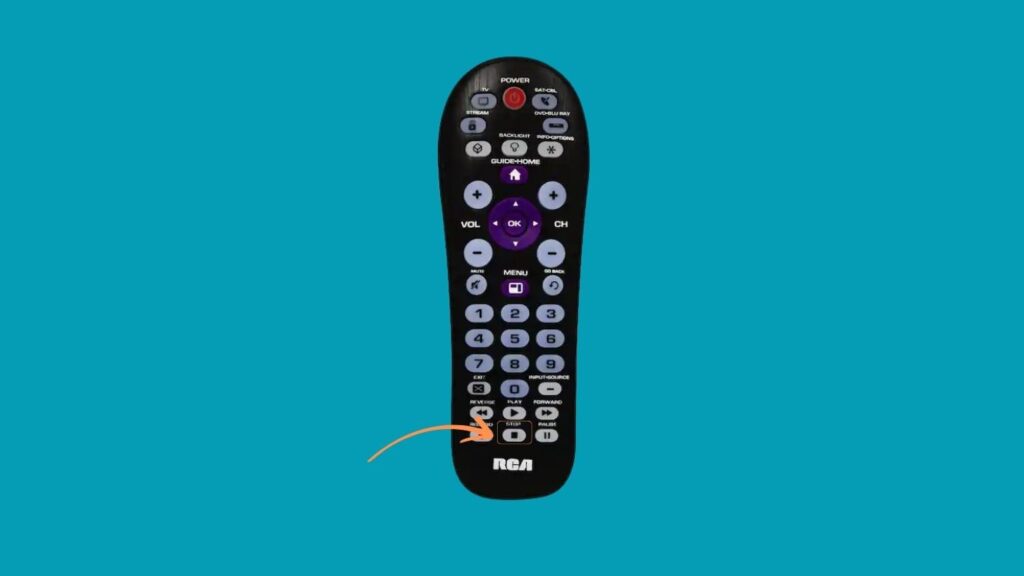
- Test the remote’s functions. Check the power, volume, input, and channel buttons. If any don’t respond correctly, repeat the process to find a better match.
See More Universal Remote Code List For TV Types: