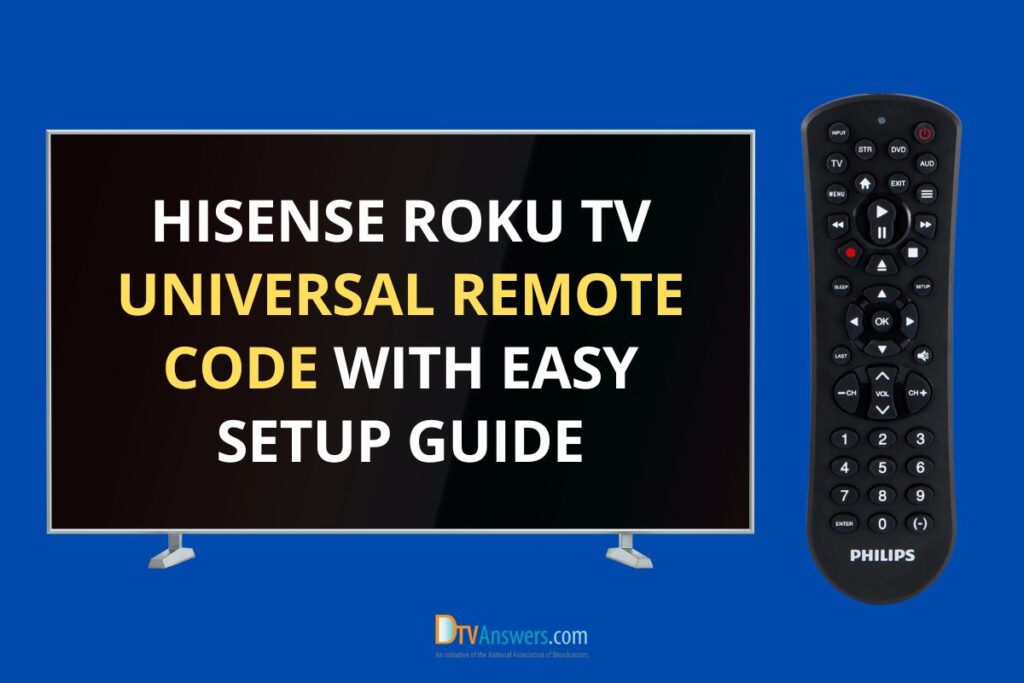
Lost your Hisense Roku TV remote or bought a new universal one? Don’t worry! You can connect it in just a few minutes. This guide lists all Hisense TV codes for universal remotes and explains how to program them effortlessly. Keep reading!
In This Article:
Universal Remote Codes For Hisense TV
The Hisense Roku TV can be controlled with most universal remotes. To make it work, you’ll need to enter a short code that connects the remote to your TV.
Below is a list of 3-digit, 4-digit, and 5-digit codes for Hisense TVs. Try each one until your remote responds correctly.
| 3-digit codes | 4-digit codes | 5-digit codes |
| 752, 081, 237, 631, 004, 387, 073, 268, 759, 042, 619, 072, 442, 236, 182, 021, 630, 705, 216, 198, 251, 363, 031, 419 | 0178, 6001, 0009, 2049, 6161, 0583, 2419, 0848, 2098, 0216, 0041, 2355, 0178, 1602, 2211, 2891, 0182, 1718, 1660, 0208, 0115, 0178, 0753, 4398, 0696, 6161, 4391, 0885, 5319, 2211, 0036, 3183, 2971, 1741, 1203, 6171, 2360, 1314, 1741, 2098, 0341, 3382, 1098, 0081, 1279, 2183, 0016, 5345, 0860, 4391, 1756, 0748, 1228, 4029, 0001, 1564, 0133, 2801, 2434, 1756, 1204, 1041, 1237, 0227, 6001, 0508, 3671, 1314, 5331, 4381, 3671, 2355, 2891, 1208, 0073, 5078, 2141, 4149, 0753, 1176, 1219, 0671, 0671, 0021, 5341, 0156, 2049, 0145, 1756, 6251, 0818, 1138, 4671, 1170, 0891, 0706, 0535, 0780, 1651, 0706, 2434, 0821, 0708, 0182, 3519, 0748, 0223, 0001, 0885, 0748, 0819, 2131, 0508, 1660, 0556, 2511, 5209, 4381, 0411, 1651, 5341, 0069, 0009, 0097, 1042, 2183, 0871, 0908, 0216, 5331, 2141, 1363, 0208, 2081, 0698, 3382, 6251, 0073, 2081, 5284, 0780, 2360, 6171 | 12434, 14398, 11071, 11314, 11862, 19715, 14740, 13359, 14662, 12183, 10885, 12434, 10375, 34243, 18247, 12846, 11422, 11756, 13519, 18924, 12561, 10065, 10748, 44631, 18557, 10818, 13382, 16703, 24525, 11960, 10179, 43155, 12434, 11756, 10748, 12098, 10571, 12049, 10258, 11660, 12419, 12049, 10679, 12089, 13944, 12128, 11660, 10178, 12859, 25612, 12183, 14564, 13183, 12419, 11993, 14398, 16070, 12098, 10748, 10178, 10706, 11756, 10885, 17206, 11666, 11564, 15532, 12360, 11764, 11660, 11277, 19351, 11574, 35254, 10818, 16513, 12360, 10005, 12360, 12098, 10885, 10885, 11314, 11179, 16178, 11375, 10473, 12183, 11602, 11314, 18655, 16969, 10973, 12098, 12049, 18459, 10277, 10821, 15972, 10706, 12049, 12360, 14643, 11314, 17440, 19367, 12355, 10777, 10178, 10071, 12183, 12183, 11476, 13382, 18962, 13846, 26146, 12434, 18437, 16738, 21262, 17415, 11602, 12296, 16744, 11672, 42224, 14972, 13450, 17231, 10875, 12074, 10178, 13382, 24344, 11758, 10748, 16551, 12355, 13118 |
Pro Tip: Start with the 4-digit remote codes. They work for most Hisense Roku TV models.
How To Program A Universal Remote To A Hisense TV
Program Universal Remote To Hisense TV With Codes
Follow these steps:
- Turn on your Hisense Roku TV. Make sure it’s connected to power and your remote has working batteries.
- Press and hold the “Setup” button on your universal remote until its LED light blinks or stays on. This means it’s ready to learn.
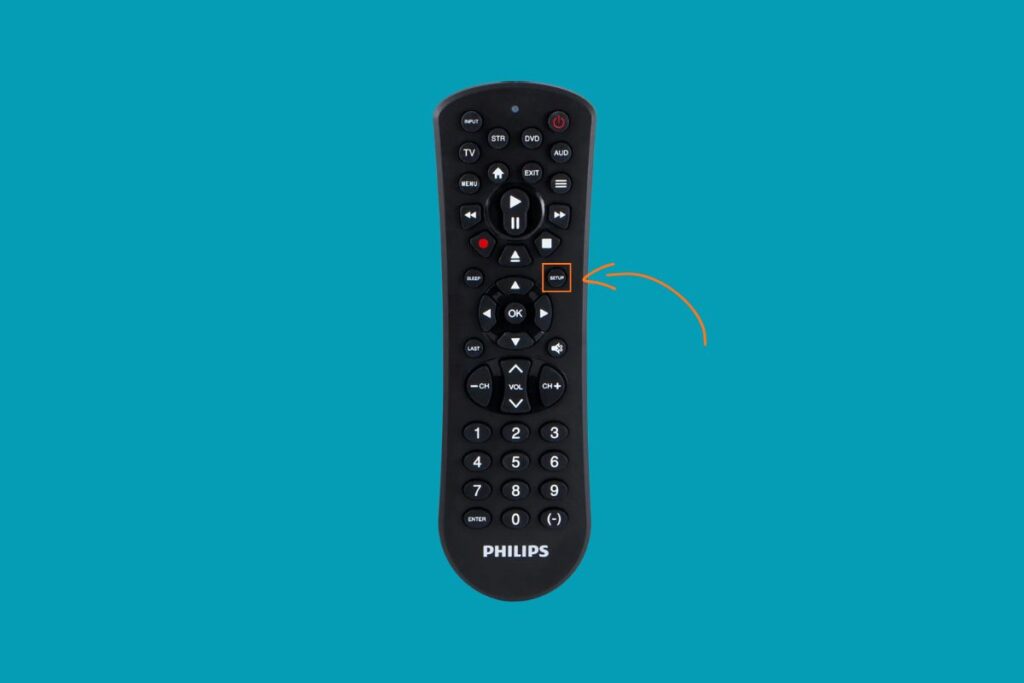
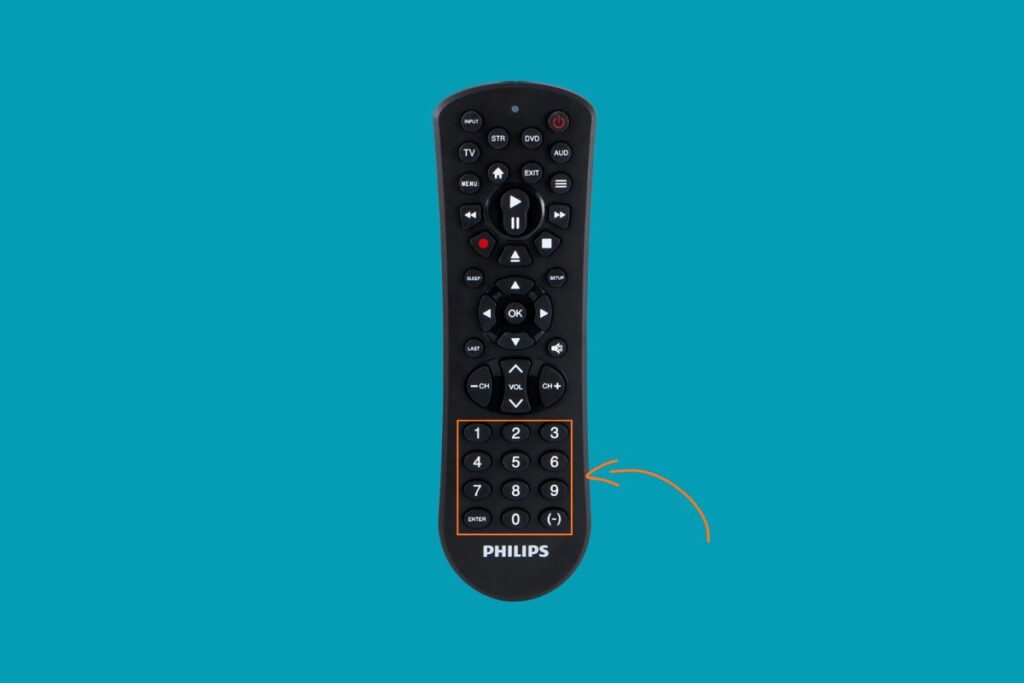
- Enter one of the codes from the table above using the remote’s number buttons.
- Aim the remote at the TV and press the Power button. If the TV turns off, the code works.

- Test the buttons. Try volume, input, and channel buttons to confirm everything responds correctly.
- If the TV doesn’t react, repeat the process using a different universal remote code for Hisense Roku TV until you find the right one.
How To Set Up A Hisense Roku TV Universal Remote Without Codes?
Sometimes you don’t have a working code. In that case, use one of these two easy setup methods:
Auto Code Search
This automatic code search method scans through all available codes until it finds the right one.
- Turn on your Hisense Roku TV.
- Hold the Device button (TV) and the Power button together until the LED on your remote lights up.
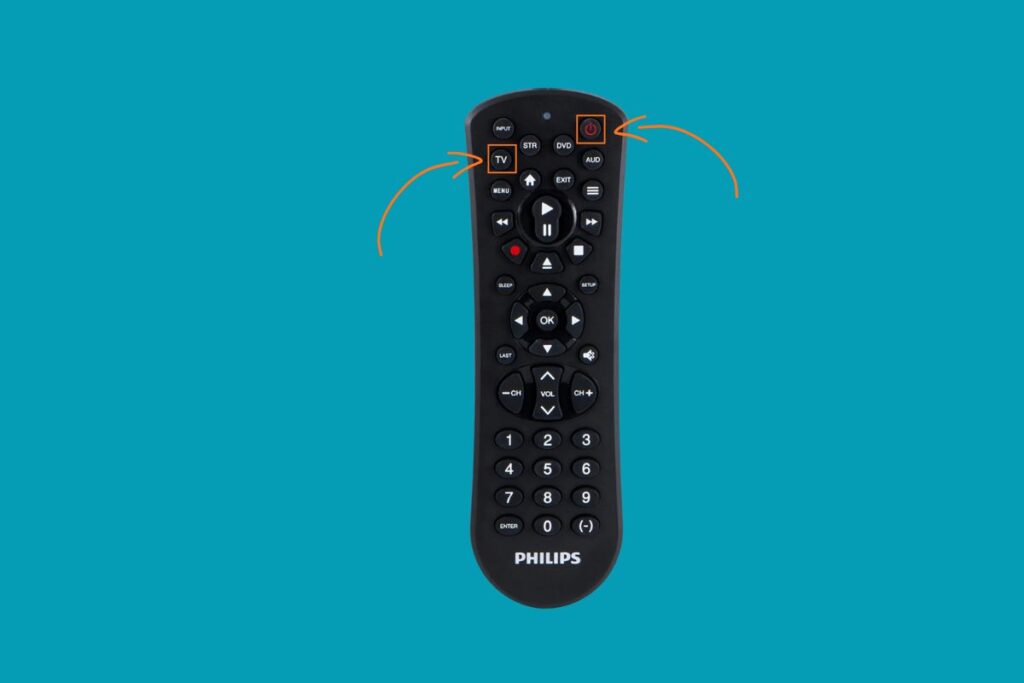
- Point the remote at your TV and press Power repeatedly until the TV turns off.
- When the TV shuts down, the remote has found the right code.
- Press the Device button once more to save it.
Direct Code Search
This takes a bit longer but doesn’t require you to know a specific code.
- Turn on your TV.
- Hold the Setup button until the light stays on.
- Type 9-1-1 on the keypad.
- Keep pointing the remote at your TV and press Channel Up slowly until the TV powers off.
- When it does, press Setup again to store the code.
- Test the buttons to make sure everything works smoothly.
How To Troubleshoot Common Programming Issues?
Even with the right code, sometimes things go wrong. Here’s how to fix them:
- Remote doesn’t respond: Check if the remote batteries are new and properly inserted. Weak batteries cause signal loss and delay.
- TV doesn’t turn off after code entry: You may have entered the wrong code. Repeat the steps with another one from the list. Make sure you aim the remote directly at the TV sensor.
- Interference from other devices: HDMI-connected devices can block the signal. Try turning off “HDMI-CEC” in your TV settings and test again.
- Some buttons don’t work: Not all remotes support every feature. If volume or menu buttons fail, program your remote again using a different code variant.
- TV not responding even after several tries: Unplug the TV for a few minutes, plug it back in, and restart the programming process. Reboots often solve temporary pairing bugs.
FAQs
Which remote works best with a Hisense Smart TV?
Most universal remotes will work with Hisense Smart TVs. However, the ones that support Roku integration, like the Xfinity XR-15 or Inteset, tend to have the best compatibility. Always check the manual for specific codes.
Why does my remote control the volume but not the power?
This happens when the entered code partially matches your TV model. Try another code from the same list to unlock full functionality.
How many codes should I try before giving up?
Usually, one of the first 5–6 codes works. If none do, use the Auto Code Search method.
Do I need to reprogram the remote after changing batteries?
No, most universal remotes save the pairing data even after battery replacement.
See More Universal Remote Code List For TV Types: