If your LG TV remote control stops working or goes missing, a universal remote can take its place. With the right code, you can pair your new remote in minutes. This guide lists all the universal remote LG codes for popular remote brands and explains how to set them up and how to use remote apps for even more convenience.
In This Article:
Universal Remote Codes For LG TVs
Universal remote codes let you connect different remotes to your LG TV for easy control. These codes vary by brand and model, including 3-digit, 4-digit, and 5-digit options. The most common 5-digit codes are 10178 and 11178, while popular 4-digit codes include 1758, 2731, and 0856.
3-Digit LG TV Remote Codes
| Universal Remote Control Brands | 3-Digit Codes |
| GE | 081, 005, 134, 009, 155, 050, 004 |
| Philips | 083 |
| Spectrum | 268, 705, 053, 102, 068, 004, 250, 569, 143, 233, 116, 090, 086, 073, 108, 023, 107, 363, 698, 112, 598, 236, 113, 741, 106, 031, 387, 648, 247, 284, 127 |
| RCA | 004, 082, 005 |
| Brightstar | 619, 700, 910 |
4-Digit LG TV Remote Codes
| Universal Remote Control Brands | 4-Digit Codes |
| One For All | 0876, 1721, 0039, 0644, 2864, 1840, 0606, 0556, 1265, 0361, 1667, 3397, 1037, 0706, 1842, 1637, 2424, 0009, 0700, 1663, 2049, 1305, 1149, 2359, 1756, 2834, 1539, 1859, 3401, 1891, 0037, 1232, 1753, 0108, 1219, 1664, 4389, 0178, 3183, 1178, 0715, 0885, 3998, 0698, 2569, 1652, 2741, 1993, 2731, 0030, 2057, 1768, 0017, 3941, 2867, 0856, 1860, 4787, 0109, 2182, 0714, 2065, 1423, 1576, 2358, 1681, 1664, 3133, 5168, 0056, 1295, 2612, 3398, 1325, 4119, 4086, 2434, 3571, 4017 |
| GE | 0502, 3091, 0001, 0709, 1471, 0064, 5501, 0606, 0251, 1501, 0102, 6171, 0388, 3281, 0761, 0015, 1741, 0244, 3021, 0458, 3811, 0741, 1221, 0583, 3001, 0397, 1911, 0611, 4731, 5511, 0931, 0036, 0002, 0131, 3311, 5271, 0274, 1181, 1718, 2891, 3221, 6021 |
| Philips | 3021, 0087, 0244, 0583, 0741, 0388, 1221, 0243, 0002, 0611, 0064, 0131, 1471, 0709, 0502, 0057, 1911, 0135, 1718, 0015, 0397, 1292, 0190, 0606, 0671, 1181, 0742, 0136, 0251, 0931, 3811, 3281, 3091, 0036, 0883, 0205, 0761, 5501, 0102, 5511, 0081, 3221, 1205, 3001, 0458, 4731, 3311, 1644, 1501, 6021, 6171, 1741, 0274, 5271, 2891, 0001 |
| Spectrum | 1098, 1225, 0885, 0001, 1018, 1373, 1013, 0178, 1005, 0061, 0030, 1264, 0211, 2801, 0706, 1756, 1768, 1340, 2049, 1318, 0856, 1234, 1307, 3241, 1178, 1423, 0081, 1753, 0201, 2360, 4241, 0021, 1228, 1035, 1079, 1314, 0017, 2434, 0101, 3094, 2511, 1278 |
| RCA | 1204, 0700, 1196, 2731, 0017, 1083, 1447, 1089, 1265, 1756, 1215, 3397, 1205, 1993, 1768, 1005, 1013, 0178, 1325, 0885, 2049, 1178, 1423, 2358, 4398, 1982, 0856, 3183, 2424 |
| Comcast | 0017, 0178, 0056, 1756 |
| Magnavox | 0802, 0324, 0814, 0609, 0021, 0606, 0217, 0002, 0017, 0026, 0103, 0307, 0038, 0117, 0102, 0122, 0435, 0124, 0027, 0502 |
| Sky | 2704, 0584, 1293, 1206, 1665, 1533, 1464, 1755, 1333, 0742, 1280, 1321, 0679, 2210, 2225, 1962, 1502, 0459, 1868, 1246, 0451, 1870, 0726, 1679, 0743, 1451, 2240, 0206, 1584, 0533, 0065 |
5-Digit LG TV Remote Codes
| Universal Remote Control Brands | 5-Digit Codes |
| One For All | 12358, 11756, 11423, 10856, 12424, 10885, 11265, 12049, 12434, 10178 |
| DirecTV | 12612, 12834, 11265, 12864, 10056, 11756, 10846, 12049, 10178, 11758, 10885, 10829, 11178, 11993, 12434, 12731, 12360, 10700, 10706, 1242, 12358, 10017, 11325, 11423, 11447, 13941, 10030 |
| Philips | 15058, 15010, 15526, 18459, 12669, 16105, 10030, 11764, 12751, 12963, 19326, 18753, 14716, 15159, 18133, 11976, 10935, 19307, 13558, 11666, 12074, 18832, 12846, 13061, 12767, 14042, 12232, 10261, 17415, 17342, 10369, 14972, 11818, 19136, 11302, 12501, 12210, 19424, 13169, 15928, 12830, 19114, 19234, 17921, 14996, 18535, 17608, 11770, 11878, 18655, 18924, 17358, 15757, 18437, 10005, 12865, 13134, 13365, 19851, 18930, 10236 |
| Spectrum | 11756, 11314, 12049, 10885, 12434, 12360, 10178, 10442, 12867, 11423, 12864, 11447, 14398, 13094, 10017 |
| RCA | 11447, 12434, 12358, 10885, 11265, 13183, 12731, 11756, 10856, 12049, 11758, 12271, 10017, 11314, 11423, 12424, 14398, 10178 |
| Comcast | 11178, 10856, 10442, 10386, 11423, 11530, 12246, 12434, 12270, 10016, 11265, 12268, 10032, 10706, 10700, 11032, 10842, 12269, 10885, 12284, 11314, 12271, 11756, 10037, 10178, 11993, 12253, 11637, 11454, 11934, 10003, 11758, 12049, 12248, 12731, 10017 |
| Inteset | 14397, 12731, 11423, 10556, 14398, 12182, 11860, 12358, 10037, 11840, 15168 |
How To Program A Universal Remote To An LG TV With Codes?
Setting up a universal remote control for your LG TV is simple once you have the correct code. Follow these steps to get it working:
- Insert fresh batteries into your universal remote. A low battery may cause setup issues.
- Turn on your LG TV using the power button on the TV itself.
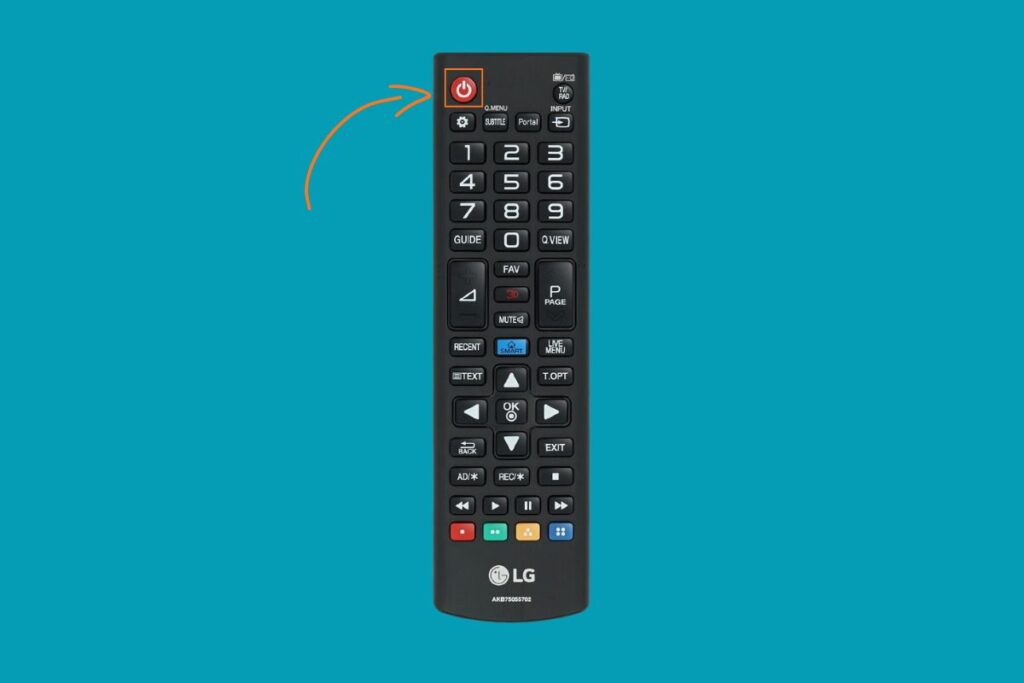
- Press and hold the TV button on your remote control for about 3–5 seconds. The remote’s red indicator light should turn on or blink.
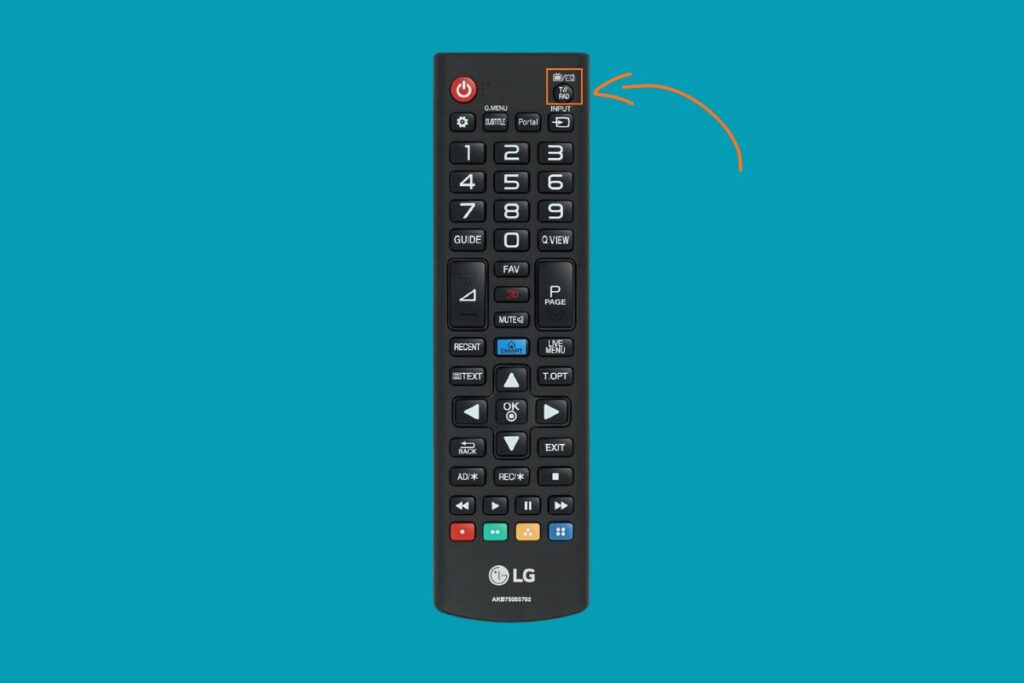
- Enter the correct code for your remote brand using the number pad. Don’t release the TV button until you’ve entered the full code.
- When the red light turns off or blinks twice, the remote control code has been accepted.
- Test the remote by pressing the volume or power remote buttons. If the TV doesn’t respond, repeat the process using a different code from the list for your remote model and brand.
How To Connect A Universal Remote To An LG TV Without Codes?
If you can’t find the correct code, you can still connect your universal remote using an automatic code search. Here’s how:
- Turn on your LG TV.
- Hold down the TV button on your remote until the red light starts blinking.
- While holding it, press the Power button and wait until the red indicator light stays on.
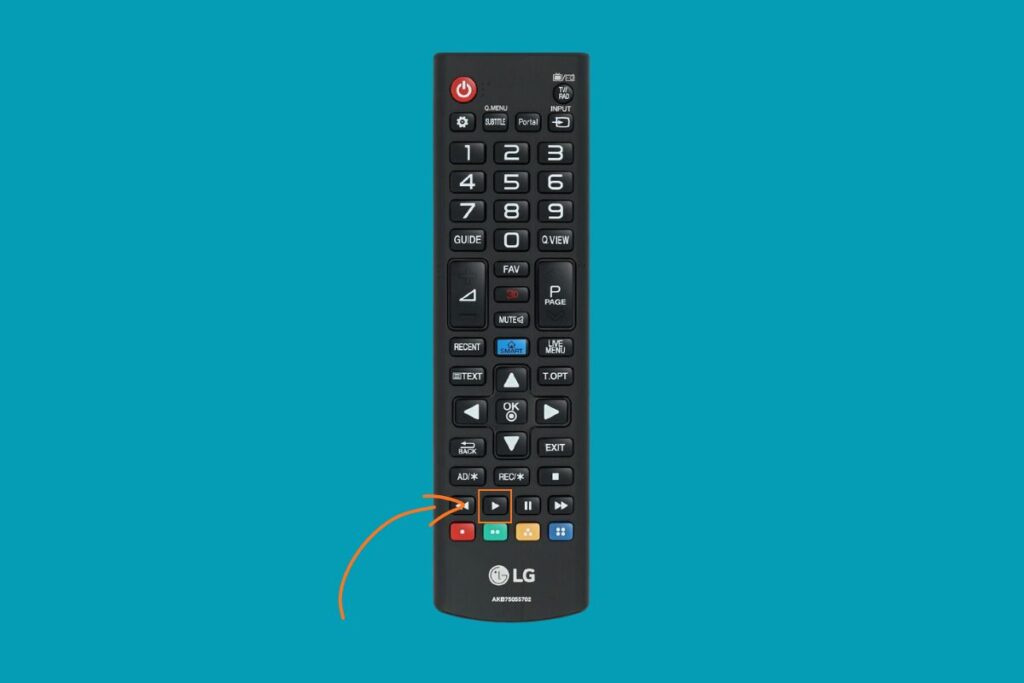
- Now press and hold the Play button for about 5 seconds to enable the code search mode. The remote will start testing codes automatically.
- When your TV turns off, it means the correct code has been found.
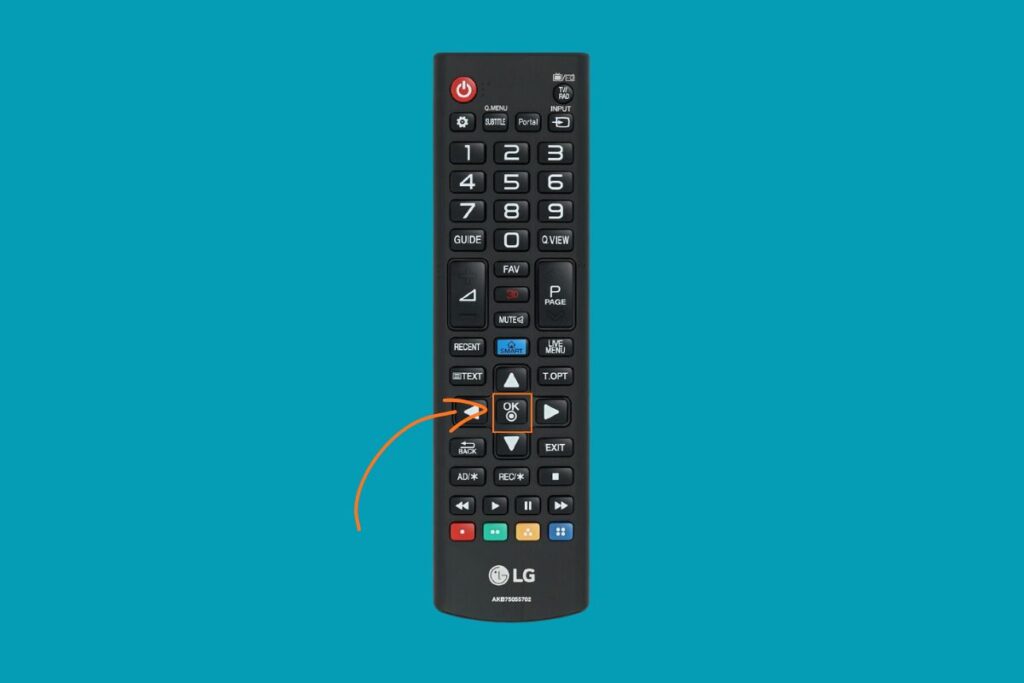
- Press Enter or OK to save the compatible code.
How To Pair A Universal Remote App To An LG TV
You can also control your LG TV with your smartphone using a remote control app. This digital method is ideal if you’ve lost your physical remote or want the added convenience of a virtual one. It’s quick, modern, and doesn’t require any setup codes.
- Download a trusted universal remote app on your smartphone or tablet.
- Make sure your TV and your device are on the same Wi-Fi network.
- Open the app and choose the option to connect or “Tap to connect.”
- The app will scan for available TVs. Select your LG TV model from the list.
- When prompted, enter the PIN code displayed on your TV screen.
- After a few seconds, your device will connect, and you’ll be able to control your TV using the on-screen remote.
FAQs
What is the most common code for LG TVs?
The most common universal remote codes for LG TVs are 10178 and 11178, but other codes may work depending on your remote brand.
Can any universal remote work with my LG TV?
Most universal remotes can work with LG TVs, but compatibility depends on the model. Always check your remote’s manual for supported TV brands.
What if my universal remote doesn’t respond after setup?
Try replacing the batteries, re-entering the code, or moving closer to the TV. If it still doesn’t work, repeat the setup using another code from your remote’s list.
Can I use my phone as a universal remote?
Yes! A universal remote app can turn your phone into a remote control. Just connect both electronic devices to the same Wi-Fi network and follow the in-app instructions.
What’s the default password for LG TVs?
The default PIN is usually 0000 or 1234. For better security, you can change it in your TV’s lock settings.
See More Universal Remote Code List For TV Types: