The WiFi is disconnected for no reason, or the Internet connection is unstable in your place, and you have to say goodbye to your favorite show. Come on, that’s not the end of the world! You can watch TV without the Internet! Below are the 7 most common methods to help you stream your beloved movies or shows offline.
In This Article:
7 Easy Ways To Watch Free TV Without An Internet Connection
Use An Over-The-Air Antenna
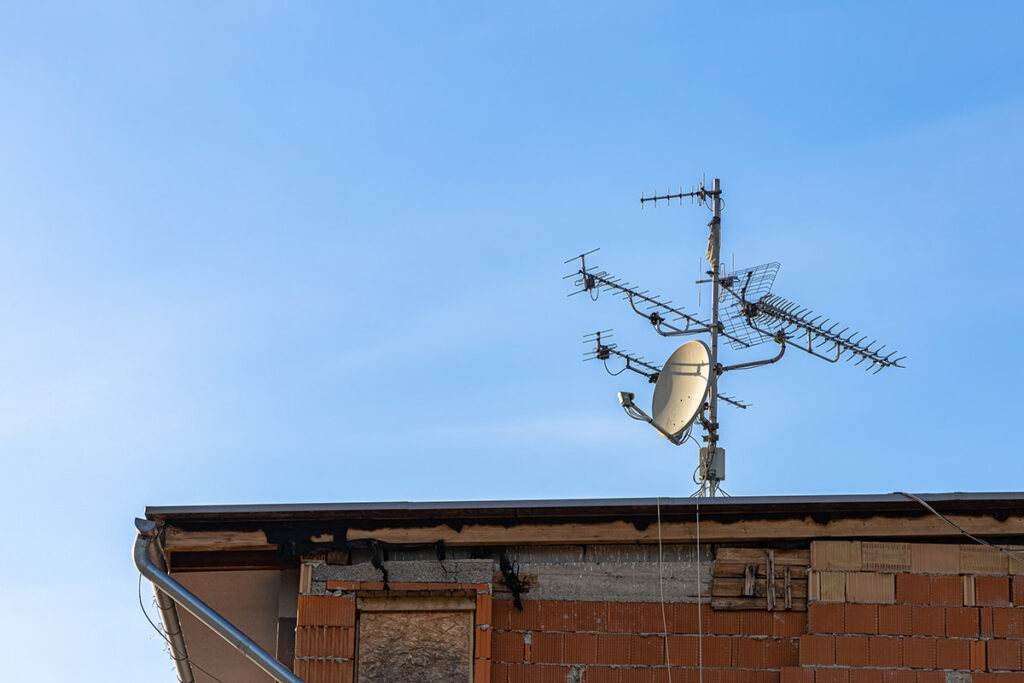
No Internet? No problem! An over-the-air antenna comes to the rescue. This gadget can pull in broadcast signals in your local area, allowing for access to a wide range of channels without the need for a WiFi or Internet connection. The best part is that it ensures crisp and high-definition image quality. Don’t worry; this is totally legal and free of charge.
Here’s how to connect it to your TV:
Step 1: Pick a suitable antenna
Traditional antennas usually come with two metal sticks that can be rotated in any direction to catch the signals. But we recommend you stick with modern models for aesthetics if you’re about to install it inside. Indoor antennas are compact with a sleeker design, making them easy to blend into the space.
For outdoor installation, it’s best to go for specialized outdoor antennas as they’re larger and more sensitive, offering enhanced signal reception. This is especially beneficial for those living in remote areas, far from the broadcast towers.
Step 2: Connect the OTA antenna to your TV
You can easily spot a hole labeled “ANT” or “RF” on your television. That’s the OTA antenna input. All you need to do is attach the antenna cable to that hole.
Step 3: Pull in the channels
On your TV settings, navigate to Auto-Tune or Channel Setup and start scanning for channels. The connected antenna will then automatically look for broadcast signals in the local airwaves and pick up any available channels.
Most of the time, you can expect to find the four common channels: NBC, Fox, ABC, and CBS. These channels host a variety of news programs, game shows, reality shows, sports events, comedies, and dramas, catering to different audiences.
Besides those big four, we can also gain access to local PBS stations, with many more programs and kid-approved shows. In our experience, the number of channels the antenna can tune in to pretty much depends on where you live.
Use Blu-rays or DVD Players
An old but gold method – watch your favorite shows via DVD or Blu-ray players. It’s quite old-fashioned, but if you’re lucky, your smart TV might have a built-in player. In this case, you only have to place the DVD or Blu-ray disc into the player and press “Play.”
If not, you must invest in a separate disc player to watch your favorite shows. Buy an HDMI cable and connect it to your TV and the DVD player, and then you can play the disc as normal.
Use Other External Media Players
DVD or Blu-ray players are rather out of date, but other external devices also come in handy, including USB, smartphones, laptops, gaming consoles, streaming sticks, or other mobile devices.
But first, you need to download content to these devices so that it can be streamed offline. Then, like with the player, just connect these devices to your TV and enjoy the shows, programs, movies, or even games.
Download Content For Offline Viewing
You might not know this, but many smart TVs boast generous internal storage, allowing you to download tons of content for offline streaming. When Internet access is still available, say, before going for a camping trip in a remote area, simply download your favorite movies, shows, and other content in advance to binge-watch later. This is a proven tip for RVers and outlanders.
Utilize Built-In Apps
Some smart TVs are designed with built-in apps, providing access to media players, games, and shows without requiring an Internet connection. Though the offline content is rather limited, it can be a last resort when going online is out of your reach.
Take Advantage Of Screen Mirroring
If your TV allows for screen mirroring, you’re in for another way to watch TV without cable or Internet for free. Most of the time, this feature doesn’t need Internet access to function. As long as you have pre-downloaded content, like movies, shows, games, etc., on your smartphones, tablets, or other mobile devices, you can sync these devices with your TV to watch them on a larger screen.
Subscribe To A Satellite TV Service
Another great alternative to cable, Internet-based, or over-the-air TVs is satellite TV. They will come with a satellite dish that picks up broadcast signals amplified and transmitted by satellites.
This option allows access to even more channels than an antenna, since the satellites orbiting Earth can receive signals from broadcasters in a wider area. Their signal coverage is also much larger, so even remote or rural areas can access them. The only trade-off is that a monthly subscription is required.
Follow these 2 steps to install a satellite TV:
Step 1: Subscribe to a satellite service
Numerous packages are available, catering to different budgets and needs. The more channels it supports, the more expensive the service. After picking a suitable package, reach out to a local satellite provider for a subscription.
Step 2: Set up the satellite dish and the receiver box
The satellite provider will have a professional install the dish at your house and connect it to a proper satellite.
Then, use an HDMI cable and plug one end into your TV and the other into the satellite receiver box. Some TVs might need a different first-time setup, so check the on-screen instructions for details.
FAQs
What Shows Can I Watch On An OTA TV?
It depends on where you live, but mostly, you can access the big four, including NBX, Fox, ABC, and CBS, as well as other local channels.
What If My Antenna Doesn’t Pull In Any Channels?
If your antenna doesn’t pick up any signals, it’s likely due to its bad position. Placing the antenna too far away from your TV (say, over 100 feet) can weaken its signals. Also, if you position it near something too tall, like a tree or a building, the signals from the broadcast towers might be blocked. Try adjusting its spot to see if the antenna can tune in any channels.