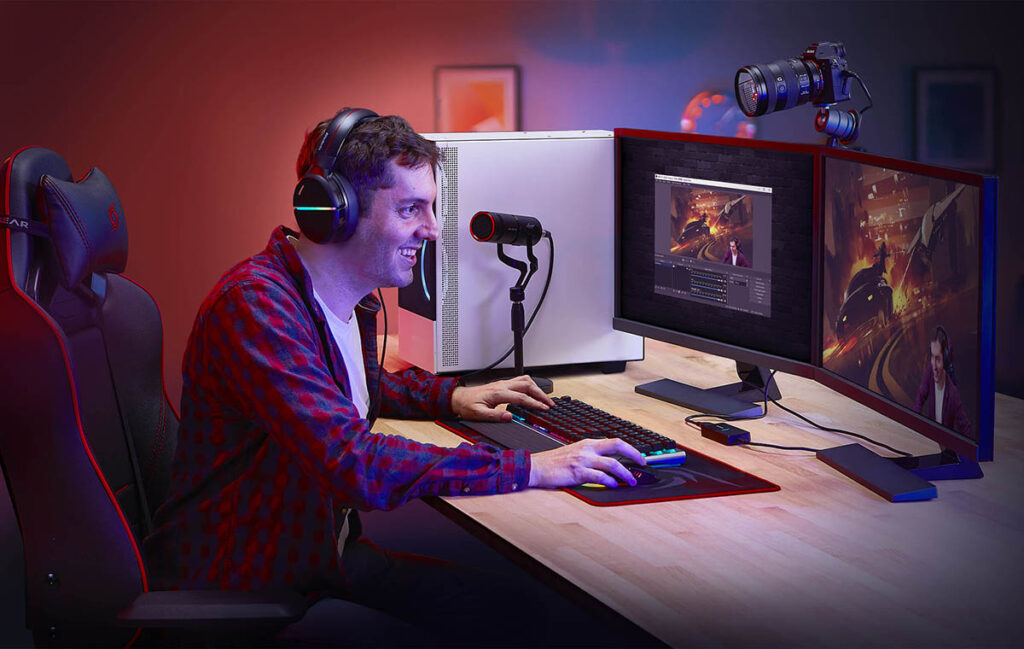
Streaming services are so popular now that they’re used by more than just computer gamers. And while that’s the most common scenario, streaming for other media is growing in popularity. It’s safe to say they’ve become an integral part of our daily lives. However, if you’re a streamer, you might not realize you’re losing a significant amount of performance. That’s exactly what we’ll cover today.
A slow stream isn’t always a matter of a slow router, nor is it always a matter of your internet service provider (ISP). Sometimes you just need to learn the basics of how your internet connection actually works. After all, just a few smart changes can make a huge difference.
Our article isn’t a standard set of “tips for faster Wi-Fi.” You’ll learn what can actually affect your home or office internet speed.
In This Article:
Reasons Why Buffering Happens More Often Than It Should
Here’s something most guides skip: buffering isn’t just a bandwidth problem. It’s a routing problem, a congestion problem, a device-priority problem. Often, it is all at once.
Your internet connection passes through multiple checkpoints before it reaches a streaming services’ server. Any one of them can introduce latency. ISPs throttle specific traffic types, especially during peak hours. Content platforms load balance across regional servers, and sometimes the nearest one isn’t the fastest one. Your smart TV might be competing with three other devices on the same Wi-Fi band.
The result? A 100 Mbps plan that still buffers on a Friday evening. Understanding this matters because the solutions are different depending on what’s actually causing the issue.
The Device Side That People Often Ignore
Streaming apps aren’t all created equal. The devices they run on aren’t all created equal either. A smart TV from 2019 might technically support 4K. However, its processor struggles to decode the stream in real time. It leads to stutters that feel like a connection issue but aren’t.
A few device-level things worth knowing:
- Prefer wired over wireless, always. Even a short Ethernet cable to your router makes a measurable difference for live streaming, where rebuffering can’t be covered by a preloaded buffer.
- Close background apps. Smart TVs and streaming sticks often run multiple apps simultaneously. That eats RAM and sometimes network bandwidth too.
- Check your streaming service app’s quality settings manually. Most platforms default to “auto”. It sounds great but often leads to constant resolution switching that’s more disruptive than just locking to a stable quality.
- Update firmware. Outdated software on streaming devices sometimes includes buggy network drivers.
None of this is complicated. However, it’s the kind of thing people skip because they assume the problem is their ISP.
Wi-Fi Optimization: The Part That Really Requires Some Thought
Wi-Fi optimization is a topic flooded with oversimplified advice. “Move your router closer.” Yeah, obvious. Here’s what’s less obvious:
- Most home routers broadcast on both 2.4 GHz and 5 GHz bands under the same network name.
- Your smart TV might keep connecting to 2.4 GHz out of habit even when 5 GHz is available.
- 5 GHz is faster and less congested, but shorter range.
- If your TV is in the same room as your router, manually separating the bands and forcing the TV to 5 GHz can noticeably improve throughput.
Channel congestion is the other thing. In dense apartment buildings, a dozen routers are competing on the same Wi-Fi channels. Log into your router settings and manually switch to a less congested channel. You can find the right one with free apps like Wi-Fi Analyzer. It is a 10-minute fix that can shave real latency off your stream.
And if you’re serious about online entertainment quality, a mesh network or a powerline adapter for rooms far from the router beats any router placement trick.
Geo-Restrictions and Their Actual Price
This is where things get more interesting. Geo-restrictions affect streaming services in ways most users don’t fully track. A show available in one country is region-locked in another. A sports event is blacked out in your market. The platform you’re paying for has a completely different library depending on where your IP address resolves.
Beyond content access, geo-routing also affects performance. When your traffic has to route internationally to reach a media platform’s servers, you add latency. Sometimes a lot of it. This is especially relevant for digital entertainment platforms that host their infrastructure in specific regions.
Using a fast proxy by Proxy-Seller gives you control over which region your connection routes through. This means you can select a server geographically close to the platform’s CDN, reducing the number of hops your data takes for streaming services. Fewer hops, lower latency, more stable stream. It also opens up content libraries that would otherwise be unavailable in your region.
It’s not a workaround. It’s an infrastructure decision. Experienced users treat it as a normal part of their online access setup.
Internet Speed and Does the Numbers Actually Matter
People fixate on download speed, and understandably so. But for streaming services, the more relevant metrics are often latency and jitter. So, your ISP probably doesn’t advertise those.
- Latency (ping) is the delay between your device and the server. For live streaming, this matters a lot. High latency means delays in buffered content updates.
- Jitter is the variation in latency over time. A connection with 20ms average ping but wild swings between 10ms and 80ms will cause more buffering than a stable one.
- Upload speed matters if you’re the one streaming. Broadcasting, not just watching.
You can check all of these at fast.com or speedtest.net. If your jitter is consistently high, that’s often a sign of network congestion at your ISP level. not something a router upgrade will fix.
How Differently Platforms Handle Your Connection
Not all streaming services are built on the same infrastructure. It shows in real-world performance.
Netflix uses Open Connect, its own CDN embedded directly in ISP networks. This means Netflix traffic often doesn’t leave your ISP’s infrastructure at all . So, it tends to perform more reliably than competitors even on congested connections.
YouTube uses Google’s global network. It is similarly aggressive about local caching. But live content on YouTube behaves differently from on-demand video. It’s more sensitive to latency.
Smaller streaming apps and regional media platforms often rely on third-party CDNs with less coverage. This is where proxy routing becomes practically useful. You select a region with better CDN coverage for that specific platform.
Understanding this means you can troubleshoot more intelligently. If Netflix works fine but another service buffers constantly, the problem almost certainly isn’t your connection. So, it’s the platform’s infrastructure in your region.
The Practical Checklist for Any User
For people who wants to actually act on this rather than just read about it:
| What to do | Expected impact |
| Switch TV to 5 GHz Wi-Fi band | Moderate faster local speeds. |
| Use Ethernet where possible | High eliminates wireless instability. |
| Manually set Wi-Fi channel | Moderate reduces neighborhood congestion. |
| Route through optimized proxy | High lower latency, fewer restrictions. |
| Adjust streaming quality settings | Moderate removes auto-switching disruptions. |
| Update device firmware | Low-moderate fixes background bugs. |
| Run a jitter test, not just speed test | Diagnostic identifies ISP-level issues. |
Most of these take under 15 minutes. Combined, they make a real difference. It is especially true if you watch a smart TV over Wi-Fi on a shared network.
Conclusions
When we imagine online entertainment and streaming services, we often think of a 100% guaranteed fun experience. However, in practice, a lot depends on your hardware, internet, and data plan. A negative experience isn’t due to imperfect technology. Your default internet settings aren’t designed for game performance, but for compatibility with your device.
If you spend even a little time understanding streaming services, your configuration, you’ll achieve significantly better gaming results. To do this, you need to understand the device itself, your network, and routing. It’s not even a question of money. You just need to use the resources you already have wisely.